Fragmentation Across Modern Storage Technologies: Myth or Reality?
The answer is more intricate than whether fragmentation is important or inconsequential. While fragmentation still occurs, its impacts depend on the storage technology, file system, and workload. Understanding fragmentation today demands moving beyond outdated recommendations and understanding new storage systems’ data management. A method that enhanced hard disk performance decades ago may not work on SSDs or cloud storage.
The Meaning of Fragmentation
Data fragmentation happens when the same file or application’s data is stored in different places. The storage system searches for space when a file is produced. The file can be saved in one place if there is adequate continuous space. The file may be split if space is scarce. How storage systems handle changing data causes fragmentation. Regularly, files are produced, changed, removed, and replaced. New files may need to employ empty spaces between stored data.
How the storage device retrieves data affects fragmentation. The read/write head of a mechanical hard drive rotates across spinning disks to access new positions. When a file is spread out, the disk may need to move more to collect it. This physical movement delays computer performance; hence, fragmentation was formerly associated with slower performance. Modern storage works differently. Many cloud storage solutions disperse data over numerous physical servers, because SSDs have no moving parts. These changes make fragmentation less of a performance issue.
Why HDD Fragmentation Was Worse
In mechanical hard drives, fragmentation hampered performance. These drives store data on spinning magnetic platters, and a read/write head must move to access it. The drive reads files efficiently when they are stored in one continuous area. The drive spends more time moving a multi-part file across the disk. Extra movement increases access time and lowers performance.
Imagine reading a book with every page in a different room of a big building. Information is still available, but it takes longer to retrieve due to movement. Traditional HDD fragmentation poses a similar problem. Thus, defragmentation tools became popular. They rearranged dispersed files to store relevant info together. This could eliminate wasteful movement and enhance hard drive responsiveness, especially with much fragmented data. Even with hard disks, fragmentation never affected speed alone. A full- or malfunctioning drive, malfunctioning hardware, restricted memory, or background apps can impair performance.
SSD Fragmentation: A Different Situation
SSDs transformed data storage. SSDs use flash memory instead of mechanical parts like hard drives. Physical data placement does not cause the same delay. A fragmented file on an SSD can often be accessed almost as quickly as a file stored in a continuous block since the disk can access memory regions electronically.
This is why traditional defragmentation is often not suggested for SSDs. Moving large amounts of data repeatedly causes wasteful write operations, which can wear out. Saying SSD fragmentation doesn’t matter is likewise false. SSDs manage data internally; thus, free space, write patterns, and organization affect speed. The fundamental difference is that SSD fragmentation is not about physical movement delays. Drive efficiency in managing storage resources, which affects performance.
When Fragmentation Causes Performance Issues
Sometimes fragmentation is portrayed as damaging or irrelevant, but it depends on the situation. Fragmentation still affects performance in some systems, but it’s less common today. Classic hard drives are the best example. The mechanical read head may need to move several times to acquire different parts of a badly fragmented file. This increases access time and slows things like opening huge files or running disk-intensive apps.
Systems that often create and alter huge files may also notice consequences. Video editing, virtual machine storage, and huge databases alter data structures frequently, which can lead to wasteful storage architectures. Fractionation rarely slows a system alone. Even with low fragmentation, a machine with limited memory, an outdated drive, background apps, hot hardware, or a poorly optimized workload may perform poorly. Thus, determining the cause is crucial. Running a defragmentation program without identifying the issue may not improve performance and waste time or storage.
Common Myths About Storage Fragmentation
Many ideas about fragmentation come from older computing environments and are no longer completely accurate. Some advice that was useful years ago has become outdated because storage technologies have changed.
Myth: Every Storage Device Needs Regular Defragmentation
This was once common advice for computers using mechanical hard drives. Today, different storage technologies require different approaches. SSDs and cloud storage systems manage data differently, and traditional defragmentation is usually not the right solution for them.
Myth: Fragmentation Always Causes Major Slowdowns
Fragmentation can affect performance, but the impact depends on the device, workload, and amount of fragmentation. A modern SSD with fragmented files may continue operating normally because it does not depend on physical movement to access data.
Myth: A Defragmented Drive Is Always Faster
Storage performance depends on many factors. A well-organized drive can still perform poorly if the hardware is old, storage space is nearly full, or applications are creating heavy workloads. Defragmentation is only one possible factor among many.
Myth: Fragmentation Is No Longer Relevant
The opposite extreme is also incorrect. Fragmentation still exists in modern computing. It simply appears differently depending on the technology involved. File systems, databases, SSD controllers, and distributed storage systems all deal with organization challenges, but they solve them using different methods.
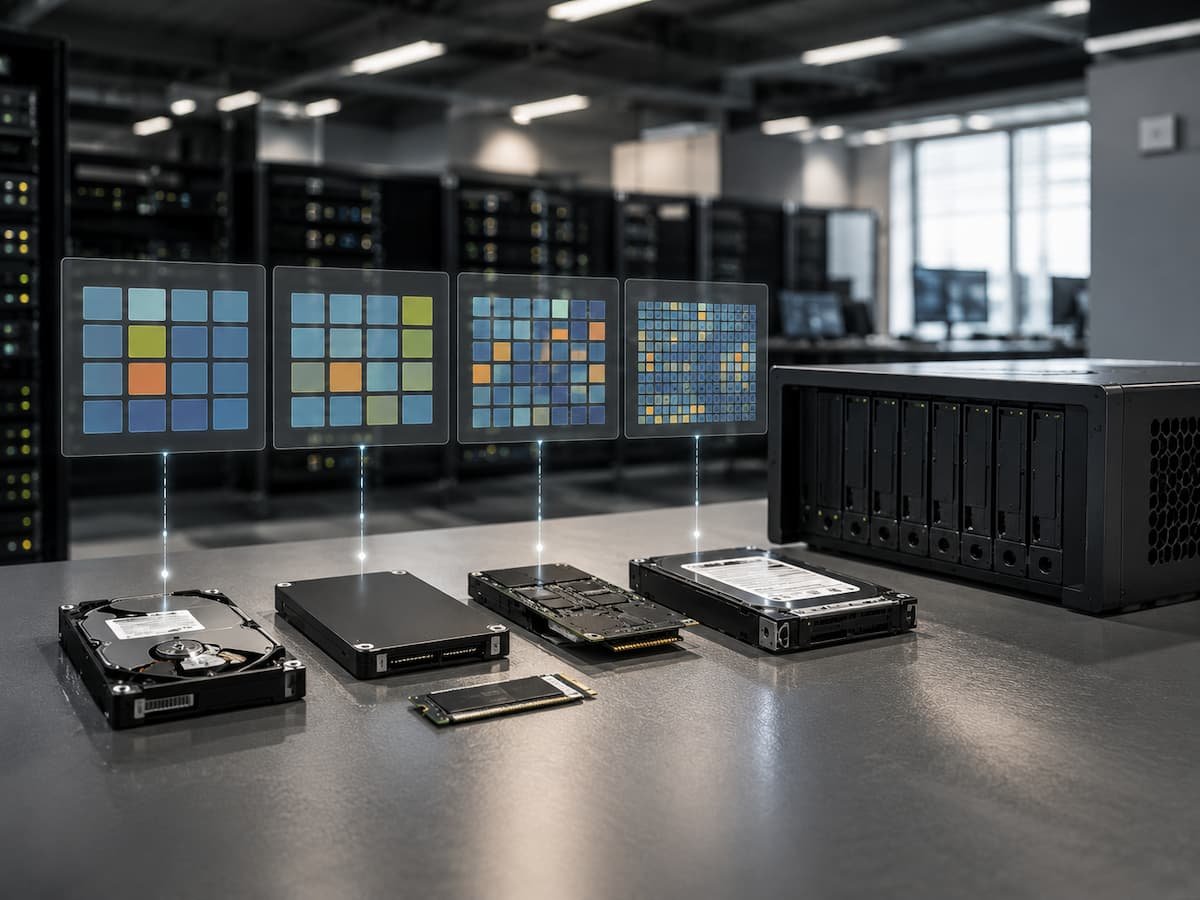
Comparing Fragmentation Across Different Storage Technologies
The importance of fragmentation changes significantly depending on the storage technology being used. Understanding these differences helps avoid applying outdated solutions to modern systems.
| Storage Technology | Impact of Fragmentation | Typical Management Approach |
| Traditional Hard Disk Drives | Fragmentation can reduce performance because physical movement is required to access scattered data. | Occasional defragmentation may help in certain situations. |
| Solid-State Drives | Traditional fragmentation has less impact because data is accessed electronically. | Use built-in optimization features and maintain free space. |
| Cloud Storage | Users usually do not manage physical data placement. | Rely on provider optimization and focus on access patterns. |
| Database Systems | Internal organization can affect query performance. | Use database-specific maintenance methods. |
This comparison shows why a single solution cannot address every type of fragmentation. Storage technology determines what kind of optimization is useful.
How Storage Engineers Approach Fragmentation Today
Modern storage engineers do not usually think about fragmentation as simply arranging files neatly on a disk. Instead, they focus on managing the complete storage lifecycle, including how data is written, accessed, moved, protected, and recovered. Modern systems use automated methods to reduce the negative effects of fragmentation. File systems may use smarter allocation strategies, SSD controllers may reorganize internal storage, and cloud platforms may automatically balance data across many devices.
The goal is efficiency rather than perfect organization. Achieving a completely non-fragmented storage system is often unrealistic because data is constantly changing. A practical system focuses on keeping performance stable while handling continuous updates. Storage engineers also examine workload patterns. A system serving thousands of database transactions requires different optimization than a system storing large media files. Understanding how data is used is often more valuable than focusing only on fragmentation levels.
How to Decide If Fragmentation Is Worth Investigating
Before attempting any storage optimization, users should first identify whether fragmentation is actually causing the problem. Modern computers provide many performance indicators that can help determine the source of slowdowns. A good troubleshooting process starts by checking storage health, available space, system resource usage, and application behavior. If a hard drive shows long access times and heavy fragmentation, optimization may help. If an SSD is slow because it is almost full, defragmentation will not solve the issue.
Some useful questions to consider include:
- Is the system using a mechanical hard drive or an SSD?
- Does the slowdown happen during large file operations or normal application use?
- Is the storage device running low on free space?
- Are there hardware warnings or health issues?
Answering these questions prevents unnecessary changes and helps users focus on the real cause of performance problems.
The Future of Fragmentation Management
As storage technology continues changing, fragmentation management will become less visible to everyday users. Storage devices and operating systems are becoming better at handling organization tasks automatically. Future storage systems will likely focus more on intelligent data placement, automated performance balancing, and workload-aware optimization. Instead of users manually organizing storage, software systems will increasingly manage these tasks in the background.
Artificial intelligence and advanced monitoring tools may also help storage platforms predict performance issues before they become noticeable. These technologies can analyze usage patterns and make adjustments automatically. However, the basic principle will remain the same: storage systems need efficient ways to manage changing information. The methods may evolve, but the challenge of organizing data effectively will continue to exist.
Final Thoughts
Fragmentation is neither a completely outdated problem nor a universal cause of poor performance. Its importance has changed because storage technology has changed. The mechanical limitations that made fragmentation a major issue for hard drives are much less significant in SSDs and cloud-based environments. The biggest mistake is treating all storage systems the same. A technique that improves one type of storage may provide little benefit or even create unnecessary wear on another. Understanding the technology behind the storage device is more valuable than following old optimization habits.
For hard drives, fragmentation management can still be useful in certain situations. For SSDs, maintaining free space and allowing built-in optimization features to work is usually more appropriate. For cloud storage and databases, performance depends on much broader factors than simple file placement. The modern approach to fragmentation is not about constantly rearranging data. It is about understanding how storage works, monitoring real performance problems, and using the right tools for the right environment.
FAQs
1. Does fragmentation slow down solid-state drives (SSDs)?
Traditional file fragmentation generally has a much smaller impact on SSD performance than on hard disk drives (HDDs). SSDs access data electronically, so they do not experience the latency associated with physical movement, unlike HDDs. Other factors, such as insufficient free space or heavy workloads, are usually more significant.
2. Should I manually defragment my SSD?
In most cases, manual defragmentation of SSDs is unnecessary. Modern operating systems include SSD-aware optimizations that manage storage space more efficiently and prevent unnecessary write operations.
3. Does fragmentation damage storage devices?
Fragmentation itself does not damage storage device hardware. However, unnecessary defragmentation of SSDs generates additional write operations, which can increase wear over time.
4. Why is my computer still slow after defragmentation?
Sluggish performance can be caused by other issues, such as insufficient memory, slow background applications, outdated hardware, malware infection, poor storage device health, or inefficient software. Fragmentation is just one possible cause.
5. Do cloud storage services require defragmentation?
Users generally do not need to manage defragmentation for cloud storage. Cloud providers handle the physical organization of storage internally. Performance issues are usually related to network speed, configuration, or service limitations.