Storage Latency or Throughput: Which Limits Performance First?
When people talk about storage performance, they often focus on numbers such as gigabytes per second, drive speed, or benchmark scores. A storage device with impressive specifications may appear powerful on paper, yet real applications can still feel slow. A database may take longer to respond, a virtual machine may become unresponsive, or a website may load slowly even though the storage system has plenty of available capacity.
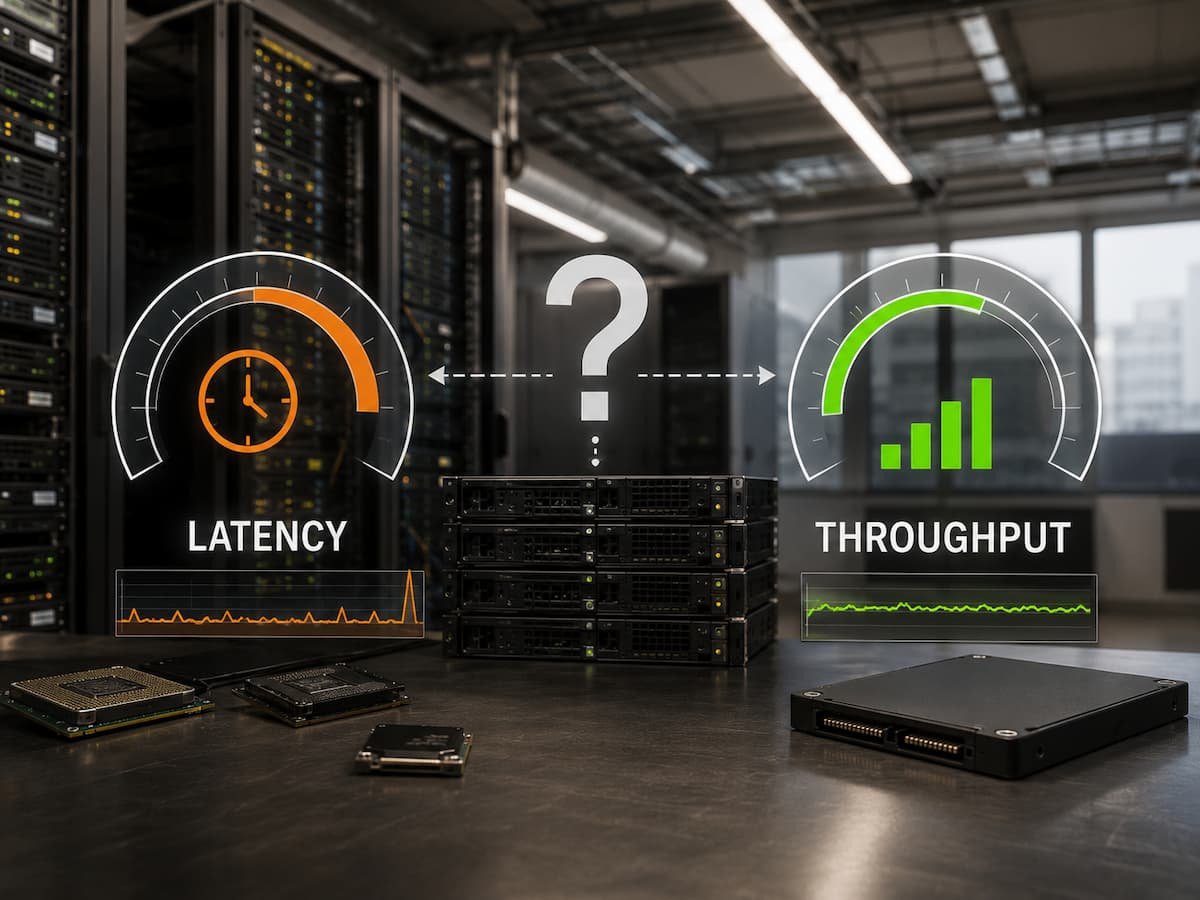
The reason is that storage performance depends on more than one factor. Two of the most important measurements are latency and throughput. They are related, but they describe different aspects of how storage handles workloads. Latency measures how quickly a storage system responds to a request. Throughput measures how much data the system can process within a certain amount of time. One focuses on speed of response, while the other focuses on the volume of work completed.
Understanding which one becomes the limitation first helps administrators, developers, and everyday users choose better storage solutions. A system handling thousands of small database requests may struggle because of latency, while a system transferring large video files may be limited by throughput. The answer depends on the workload, not simply on the storage hardware.
Understanding Storage Latency
Storage latency is the amount of time between sending a request for data and receiving a response. It is usually measured in milliseconds or microseconds. A simple example is opening a small document. The amount of data involved may be tiny, but the computer still needs to locate the file, communicate with the storage device, retrieve the information, and deliver it to the application. Every delay during this process contributes to latency.
A storage system with low latency feels more responsive because applications do not need to wait long for individual operations to complete. Common factors that increase storage latency include:
- Slow storage media
- Busy storage controllers
- Network delays in remote storage
- Inefficient application requests
- Queue delays caused by heavy workloads
- Hardware limitations
Traditional hard disk drives usually have higher latency because they rely on mechanical movement. Solid-state drives reduce latency significantly because they use electronic memory instead of moving parts. However, even fast SSDs can experience latency problems if the system receives more requests than it can process.
Understanding Storage Throughput
Throughput refers to the amount of data a storage system can read or write during a specific period. It is usually measured in megabytes per second (MB/s) or gigabytes per second (GB/s). A storage device with high throughput can move large amounts of information quickly.
For example, transferring a large database backup or editing high-resolution video requires moving a significant amount of data. In these situations, throughput often becomes the most important performance measurement. A storage system may have excellent latency but still struggle with workloads that require continuous large data transfers.
Factors that influence throughput include:
- Storage interface speed
- Drive technology
- Number of drives working together
- Network bandwidth
- File system efficiency
- Data compression and processing overhead
Throughput is especially important in environments where large files are processed regularly.
Examples include:
- Video production systems
- Scientific computing platforms
- Backup servers
- Data analytics environments
- Large file storage systems
Latency vs Throughput: The Main Difference
Although latency and throughput are connected, they solve different performance problems.
| Performance Factor | Meaning | Best Example |
|---|---|---|
| Latency | How quickly one request receives a response | Opening an application |
| Throughput | How much data can move over time | Copying a large video file |
A storage system can have:
- Low latency but limited throughput
- High throughput but poor latency
- Good performance in both areas
For example, a storage system may quickly respond to small requests but slow down when transferring large amounts of data. Another system may transfer huge files quickly but feel slow when handling thousands of small operations. The workload determines which measurement matters most.
Workloads Where Latency Becomes the First Problem
Many applications depend heavily on fast response times. These systems often perform many small read and write operations instead of transferring large amounts of data at once.
Examples include:
- Databases
- Online transaction systems
- Virtual machines
- Operating system drives
- Cloud applications
A database is a good example. When a customer searches for information, the system may need to access many small records quickly. The amount of data for each request may be small, but thousands of requests may happen every second. In this situation, reducing latency improves user experience because every request completes faster.
Common signs that latency is limiting performance include:
- Applications feel slow despite low data transfer rates
- Many small storage requests are waiting
- Users experience delays during normal operations
- CPU usage remains low while applications wait for storage
Reducing latency may involve:
- Using faster storage media
- Improving storage configuration
- Reducing unnecessary input/output operations
- Increasing memory caching
- Optimizing applications
Workloads Where Throughput Becomes the First Problem
Throughput limitations appear when systems need to move large quantities of data continuously.
Examples include:
- Large file transfers
- Video rendering
- Backup operations
- Data migration
- Scientific simulations
Imagine copying a 500 GB archive from one storage system to another. The main concern is not how quickly one small request completes. The challenge is how much data can move every second. A storage device with excellent latency may still take a long time if its maximum transfer rate is limited.
Signs of throughput limitations include:
- Transfer speeds remain near the storage maximum
- Large operations take longer than expected
- Network bandwidth is fully used
- Storage devices remain busy during large transfers
Improving throughput may require:
- Adding more drives
- Increasing network capacity
- Using faster storage interfaces
- Optimizing data movement processes
- Choosing storage designed for heavy sequential workloads
Why Modern Systems Need Both Low Latency and High Throughput
Modern applications are becoming more demanding because they often combine different workload types. A cloud platform may run databases, file services, analytics tools, and virtual machines on the same infrastructure. Each application may require different storage characteristics. A system designed only for throughput may disappoint users because applications still experience delays. A system designed only for latency may struggle with large data operations. Balanced storage design considers both factors.
Important considerations include:
- Application requirements
- Number of users
- Data access patterns
- Growth expectations
- Backup requirements
- Network limitations
Choosing storage based only on advertised speed numbers can lead to poor results because benchmarks do not always represent real workloads.
Common Mistakes When Evaluating Storage Performance
Many storage decisions fail because people focus on the wrong measurement.
- Choosing Storage Based Only on Maximum Speed
- Ignoring Random Operations
- Forgetting Network Limitations
- Not Monitoring Real Usage Patterns
How to Determine What Limits Your Storage Performance
Finding the actual bottleneck requires looking at how the system behaves.
Useful measurements include:
- Storage latency
- Input/output operations per second (IOPS)
- Throughput rates
- Queue depth
- CPU and memory usage
- Network utilization
A storage system with high latency but low throughput usage may need faster response times. A system operating at maximum throughput but with acceptable latency may simply need more capacity. Performance tuning should begin with identifying the limitation rather than replacing hardware immediately.
Final Thoughts: Latency or Throughput?
Neither latency nor throughput is universally more important. The first limitation depends entirely on the workload. Systems handling many small and frequent operations usually encounter latency problems first. Databases, virtual machines, and interactive applications benefit from faster response times.
Systems handling large amounts of continuous data usually encounter throughput limitations first. Backups, video processing, and large-scale data movement depend more on transfer capacity. The best storage solutions balance both factors. Understanding how applications use storage allows organizations to invest in improvements that actually solve performance problems instead of chasing impressive specifications that do not match real needs.
FAQs
1. Is lower storage latency always better?
Lower latency generally improves responsiveness, but it is not the only performance factor. A system transferring large amounts of data may still require higher throughput even if latency is already low.
2. Is throughput more important than latency for SSDs?
It depends on the workload. SSDs usually provide excellent latency, so throughput may become the bigger limitation for large file operations. However, databases and transactional systems may still depend heavily on latency.
3. Can increasing storage capacity improve performance?
Increasing capacity alone does not always improve performance. Performance depends on storage design, workload type, hardware capability, and system configuration.
4. How do I know whether latency or throughput is limiting my system?
Monitoring storage metrics can reveal the problem. High response times suggest latency issues, while consistently maximum transfer rates suggest throughput limitations.
5. Do cloud storage systems have latency problems?
Yes. Cloud storage can experience latency because data may travel through networks and shared infrastructure. The impact depends on the service design and application requirements.