Choosing File Systems for Reliability, Speed, and Scalability

Why File System Choice Affects Storage Experience

A PC with a powerful processor, plenty of RAM, and a fast SSD may still have poor file access, uneven performance, or storage issues. Many people blame hardware when something goes wrong, but storage device data organization is just as crucial. The operating system needs a system that knows where and how to manage files when they are saved, opened, copied, edited, or destroyed. The file system handles that. Computers can hold millions of files without becoming a mess due to their organization.

For most users, the file system is invisible. Few people consider how the storage system handles composing documents, installing apps, or preserving images. The operating system chooses a default file system that works well for most needs, letting users focus on their duties. Increased storage needs affect things. Businesses holding years of records, developers managing enormous projects, content makers dealing with massive video files, and servers all need reliable storage systems. Thus, choosing a file system goes beyond technical taste. This choice affects data storage safety, access speed, and future growth.

Computer File Systems: What They Do

Storage drives cannot understand files, directories, photos, apps, or documents. A drive is a set of hardware storage places for writing data. The file system creates rules to make those locations usable. The file system stores vital data when a user creates a folder called “Work Documents” or saves a photo with a specified name. It tracks the file’s location, permissions, size, and updates.

Without this organization layer, finding a document is difficult. The computer couldn’t easily tell which storage elements go together or make up a file. File systems control data writing and retrieval. When a file changes, the system selects where to put new data and how to update existing data. These choices affect performance and dependability. File systems handle these issues differently. Some are designed for extensive device interoperability. Others focus on data security, large storage capacities, or SSD performance. Understanding this role clarifies file system selection’s importance. The file system goes beyond folders. The foundation controls storage behavior.

Good File Systems Have Three Main Goals

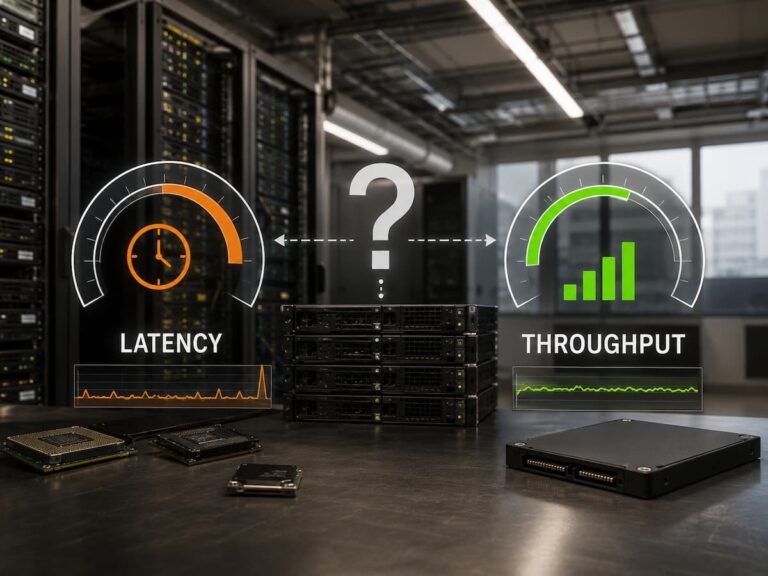
The main considerations when choosing a file system are reliability, speed, and scalability. These traits determine the storage system’s performance and future readiness. Maintaining data consistency and preventing corruption and unexpected issues is reliability. Many situations can disrupt storage system operations. A sudden power loss, system crash, hardware issue, or interrupted update can leave data incomplete if the file system lacks protection.

By tracking changes and organizing storage, a reliable file system helps manage these situations. Journaling or data verification can help systems recover from unexpected events. Speed is how well the file system handles various workloads. Different demands arise when opening a document, loading a large application, transferring a video project, or serving thousands of website requests.

A file system that works well for one workload may not for another. For example, handling many small files requires different optimization compared with transferring very large files continuously. Scalability describes how well the file system continues to operate as storage needs increase. A system designed for a small personal computer may not be suitable for an organization managing hundreds of terabytes of information. The strongest file system choice balances all three areas instead of focusing on only one. The fastest option is not always the most practical, and the most advanced option may create unnecessary complexity.

Why Reliability Should Come Before Raw Performance

Storage performance is easy to observe. A faster drive may cut loading times and enhance responsiveness, which is why many users focus mainly on speed while updating their systems. However, storage stability typically becomes more valuable when something goes wrong. Losing access to key files might generate major concerns. Personal users may lose images, school projects, or personal papers. Businesses may incur downtime if employees cannot access vital information. A reliable file system eliminates some of these hazards by retaining better control over how information is kept. One frequent solution is journaling, where the file system records planned modifications before fully applying them. If a failure occurs during a write operation, the system has information that can help restore consistency.

Another reliability element present in some modern file systems is data verification. Instead of assuming stored information remains intact, the system might examine whether data matches expected values. This helps identify specific sorts of corruption that could otherwise remain unnoticed. These properties are especially valuable for storage systems that keep crucial information for long durations. A server carrying corporate records or backup data requires different protection priorities compared with a temporary storage device used for transmitting files. However, even the most reliable file system should not be considered a replacement for backups. File systems can prevent some technical issues, but not unintentional deletion, theft, malware attacks, or hardware damage.

File Systems Affect Storage Speed

Storage speed is generally mentioned as if it relied exclusively on the drive. Hardware specs matter, but file system efficiency matters. Every storage operation needs organization. The file system must find data, update file information, manage space, and communicate with the OS. How it does these duties affects the experience. Open a large video file and search through thousands of little papers have different storage behaviours. A file system intended for one task may perform differently for another.

Storage needs have altered with modern SSDs. Due to mechanical movement, data placement substantially impacts performance on traditional hard drives. SSDs eliminate mechanical limits, but file system design affects efficiency, storage management, and longevity. Thus, real-world usage should determine performance. A file system with high transfer speeds may not be the optimum for daily use. Choosing the correct storage system depends on its function. A gaming computer, database server, media workstation, and backup system may benefit from diverse methods.

Comparing File System Designs

File systems have different philosophies. Some were designed decades ago and enhanced over time, while others were designed lately to accommodate big capacity drives, solid-state storage, and advanced data protection. Design choices affect how a file system maintains storage space, handles problems, and provides services to users and administrators. Knowing these variances explains why various environments adopt different solutions. Traditional file systems emphasize reliable, compatible storage. Because they are mature, well-supported, and familiar to users and administrators, they are widely utilized. Having fewer complex features makes maintenance easier.

Modern file systems generally add features for larger and more demanding contexts. Snapshots, sophisticated permissions, data verification, compression, and flexible storage management are examples. Additional features can be useful but also increase complexity. A feature-rich file system requires users to understand how its characteristics affect maintenance, performance, and recovery. The most feature-rich file system is rarely ideal. It has the right capability for the task without complicating management.

Popular File Systems and Their Typical Uses

Several file systems appear frequently in personal computers, servers, and enterprise storage environments. Each has strengths that make it suitable for particular situations.

1. NTFS for Windows-Based Storage

NTFS is the standard file system used by modern Windows operating systems. It was designed to support large storage devices while providing features required for professional and personal computing. One reason NTFS remains widely used is its balance between compatibility, security, and reliability. It supports file permissions, encryption features, and journaling, making it suitable for both personal computers and business environments. For most Windows users, NTFS is the practical choice because it integrates naturally with the operating system. External drives, internal storage devices, and business computers often rely on it because of its mature support.

2. ext4 for Linux Systems

ext4 is one of the most common file systems used with Linux operating systems. It is valued for stability, efficient performance, and long-term reliability. Many Linux users choose ext4 because it provides a dependable experience without requiring complicated configuration. It works well for desktop computers, servers, and many general-purpose workloads. Its widespread adoption also means there is extensive documentation and community knowledge available, which can make troubleshooting easier.

3. APFS for Apple Devices

APFS, or Apple File System, was created by Apple for modern devices. It was designed with flash storage in mind, including SSDs commonly found in newer computers and mobile devices. APFS includes features focused on efficient storage management, improved handling of modern hardware, and better support for Apple’s ecosystem. For users who primarily work within Apple devices, APFS provides a file system designed specifically for that environment.

4. ZFS for Advanced Storage Environments

ZFS is often associated with professional storage systems where reliability and data integrity are major concerns. It was designed to combine file system management with advanced storage features. Features such as snapshots, data checksumming, and storage pooling make ZFS attractive for servers, network storage systems, and environments where protecting information is a priority. However, the additional capabilities also require greater technical understanding. ZFS is powerful, but it may be unnecessary for simple home storage needs.

Matching File Systems With Real-World Workloads

Starting with workload rather than technology is the best method to choose a file system. Choose a file system based on storage needs, not popularity. A laptop used for browsing, business work, and photo storage has minimal needs. Most prioritize reliability, compatibility, and minimum maintenance. Video editing workstations present new challenges. Massive media files demand effective continuous data transfers. The user may choose consistent performance throughout large file operations over corporate features.

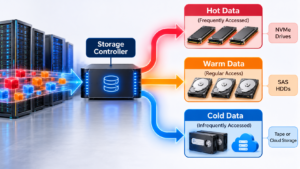
Database servers have different demands. It may do thousands of tiny read/write operations per minute. Consistent performance, reliability under intensive activity, and recovery are essential. Backup systems also have special needs. They may store a lot of infrequently used data for recovery. Data integrity and long-term stability may trump speed. Considering data utilization avoids the problem of choosing a file system based on specifications rather than needs.

File Systems and SSD Technology Relationship

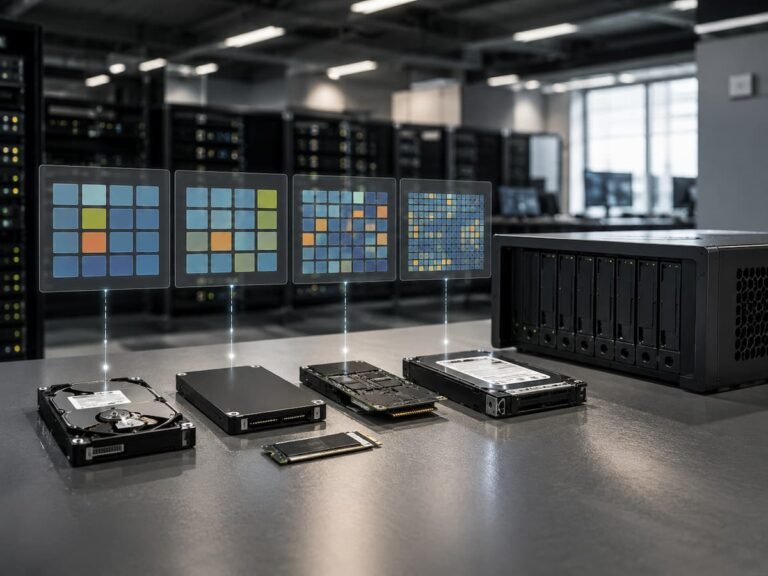
Solid-state SSDs have transformed storage systems. SSDs offer faster access times than hard drives, but they significantly changed file system design. Hard drives store data on rotating disks using mechanical read heads. The physical location of data can dramatically impact performance. SSDs use flash memory, eliminating mechanical constraints. Though SSDs are faster, the file system is still crucial. It organises data, manages storage, and optimises activities.

Modern file systems often have flash storage-friendly capabilities. Effective space management, frequent write handling, and TRIM support help preserve performance over time. A typical misconception is thinking a fast SSD will fix all storage performance issues. A mismatched file system, insufficient free space, obsolete software, or inefficient workflow habits might still influence user experience. Hardware, operating system, file system design, and workload behavior affect storage performance.

Scalability: Storage Growth Planning

Storage selections are often centered on present needs, but excellent planning incorporates growth. Rarely does data shrink. Personal photo collections grow, corporations develop more records, and applications generate more data. A good file system may become challenging to administer as storage needs grow. Migration initiatives are challenging, especially when moving huge amounts of sensitive data safely. Scalability goes beyond larger drives. It also includes how well the file system handles more files, users, and storage operations.

A small corporation may start with shared storage. Growing organizations may need tighter permissions, greater recovery, and advanced storage management. Choose technology for future needs to reduce disruption. Planning for expansion does not mean selecting the most advanced option. Overengineering a small system adds cost and complexity without value. Good scalability planning entails choosing a system that can handle predicted expansion while being manageable.

Security Features Affect File System Choice

Storage security and file systems are closely related yet generally considered separately. The file system controls permissions, access, and protection for stored data. Personal security may entail preventing unauthorized access to private files or safeguarding files if a device is lost. Businesses have greater security requirements since many individuals, departments, and apps may need different access levels. File permissions are a basic security element in many file systems. They let administrators restrict file viewing, modification, and deletion. This matters in shared environments where not all users have full control over stored data.

Important considerations include encryption. Encryption protects data by making it unreadable without authentication. Laptops, portable drives, and confidential systems benefit from this. Some advanced file systems have data integrity protection modules. These capabilities can alert administrators to unexpected changes and shed light on stored data. Security features should be assessed against actual needs. An organization handling sensitive data may need enterprise-level storage controls, but a home user may not.

Why Backups and Snapshots Are Different

The difference between file system snapshots and traditional backups is often confusing. Although both can recover previous data versions, they solve different problems. The current file system state is recorded in a snapshot. If files are accidentally changed or deleted, a snapshot can quickly restore earlier versions. Speed and convenience make snapshots useful. They are often used in environments where users frequently modify critical data and need quick recovery.

A backup creates a copy of data that can be stored separately from the original system. A snapshot usually exists in the same storage environment, so this separation is crucial. If the storage device fails, is damaged, or has a serious security incident, snapshots may not be available. A well-planned backup system prevents larger failures. Both are used in reliable storage strategies. Snapshots enable short-term data recovery, while backups prevent major data loss.

Understanding Storage Efficiency and Space Management

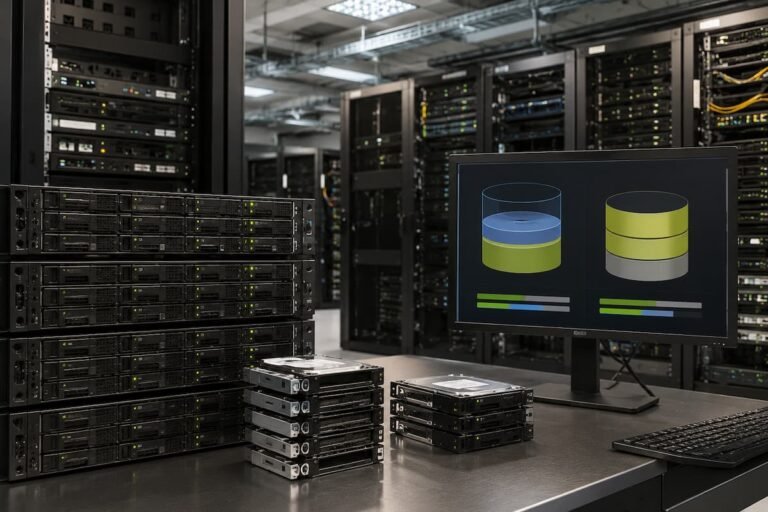
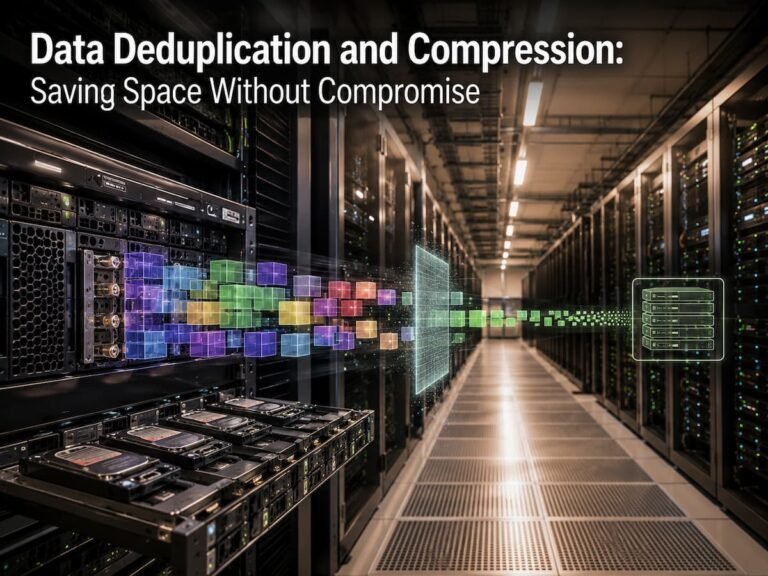
File systems do more than store files. They also manage available space and decide how efficiently that space is used. This becomes increasingly important as storage devices become larger and contain millions of files. Poor space management can create unnecessary storage waste and reduce performance. When a drive becomes heavily used, the file system must work harder to organise new information and maintain efficient access. Some modern file systems include features such as compression, which reduces the amount of physical space required by certain types of data. Compression can be useful for documents, text files, and other information that contains repeated patterns.

However, compression is not always beneficial. data that are already compressed, such as many video formats or older data, may give little space reduction. Compression also demands processing resources, which means the benefits depend on the hardware and workload. Another impact is how the file system manages duplicate information. Some advanced storage environments use technologies that identify repeated data and reduce unnecessary copies. These features can save space but may require additional planning and resources. Efficient storage management is about finding the right balance between saving space, maintaining performance, and keeping the system easy to manage.

How File System Limitations Affect Long-Term Planning

Every file system has limits. These may include maximum storage size, maximum file size, supported features, or compatibility restrictions. For small devices, these limits may never become noticeable. For growing systems, they can become important planning factors. A file system that works perfectly for a personal computer may not be suitable for a large organisation storing years of information. As data grows, limitations that seemed irrelevant at the beginning can become obstacles.

Maximum file size is one example. A typical office user may rarely create very large files, but professionals working with high-resolution video, scientific data, or large databases may regularly handle files that require stronger support. Compatibility is another aspect. A storage system may need to function with different operating systems, applications, or devices. A file system that offers advanced functionalities but limits accessibility may create practical challenges.

Long-term planning entails recognizing both present requirements and probable future adjustments. Choosing a file system without considering growth can lead to difficult migrations later. The goal is not to foresee every future necessity accurately. It is to prevent choices that generate unneeded limits when needs expand.

Choosing Between Simplicity and Advanced Features

One of the main challenges when picking a file system is deciding how much complexity is acceptable. Advanced features can bring valuable capabilities, but every additional feature may demand more understanding and upkeep. A basic file system might be a good solution when dependability and convenience of use are the major considerations. Many customers benefit from choosing a well-supported solution that functions automatically without requiring regular supervision.

More complex file systems become helpful when their characteristics solve specific difficulties. A corporation managing vital records may benefit from snapshots and improved integrity testing. A storage administrator managing large systems may need flexible storage pools and extensive controls. Problems develop when users adopt modern technology without understanding how it works. A feature designed to promote reliability can become a source of problems if it is configured incorrectly or disregarded during maintenance. The proper question is not “Which file system has the most features?” A better question is “Which features genuinely solve my storage challenges?” Good technology decisions remove problems rather than creating unnecessary complexity.

Practical Examples of File System Decisions

Because priorities vary by situation, real-world examples simplify file system decisions. Consider a student with a laptop. They likely want reliability, compatibility, and easy maintenance. A conventional file system supported by the operating system is usually the best option because complication is pointless. Suppose a small business stores employee documentation and shared files. Priorities shift. Multiple users using the same data makes user authorization, dependable access, and recovery options increasingly vital.

A video production company faces another issue. Large media files need effective storage, and downtime delays projects. Organizations may prioritize consistent performance and storage capacity planning. A research organization with enormous datasets may prioritize scalability and data integrity. Long-term data protection may be more critical than speed. These instances demonstrate the lack of a winner. What the storage environment needs determines the optimal file system.

After Implementation, Test and Monitor Storage

Choice of file system is just the beginning. To maintain performance and reliability, storage environments should be monitored after deployment. Monitoring identifies issues before they escalate. Rising storage utilization, odd performance changes, and recurring problems may require adjustments.

Perform performance testing with real workloads. Artificial testing may yield spectacular figures but not everyday use. A storage system should be judged by its real functions. Regular maintenance matters too. System updates, storage health checks, permissions reviews, and backup verification all improve reliability. Poor maintenance causes many storage issues, not technology choice. A good file system needs management.

Tips for Long-Term File System Reliability

A good file system can support dependable storage, but its long-term success depends on management. Even cutting-edge storage technology needs maintenance. A simple but crucial technique is having enough open storage space. Many users fill disks virtually full, yet busy storage can degrade performance and make maintenance harder. A suitable free space allows the file system more freedom when organizing fresh data. Systems that often create, change, and discard enormous volumes of data need this.

Regular maintenance should include software updates. Operating system and file system updates generally include security changes, bug fixes, and compatibility improvements to increase storage system reliability. Storage health monitoring is another good habit. Unusual errors, slowdowns, or alerts may signal deeper issues. Another crucial practice is analyzing storage usage. Systems accumulate unneeded files, duplicate data, outdated software, and temporary data. Regular organization improves efficiency and simplifies storage planning. Maintenance need not be difficult. Regular little activities can prevent greater storage issues.

Why Backups Are Important Regardless of File System

A widespread misconception is that a dependable file system eliminates backups. Modern file systems offer substantial protection, but they cannot cover all issues. The file system can assist keep data consistency after a power outage or sudden shutdown, but it cannot prevent a user from mistakenly removing a critical folder. It does not prevent theft, fire, physical damage, or some security problems.

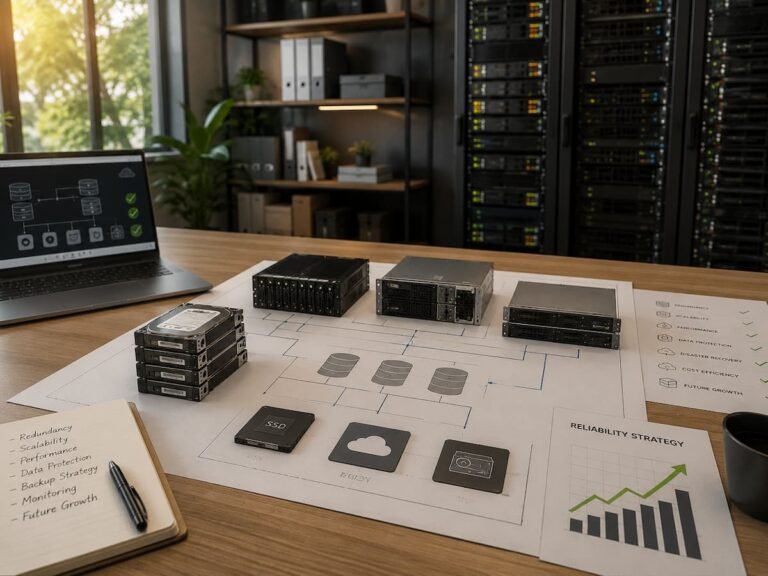
Backups increase protection by storing several copies of crucial data. Top backup strategies examine where the backup is stored, how often it is updated, and how quickly data can be restored. Avoid relying on one storage site. If all vital files are on one device, a hardware failure can ruin everything. Testing backups is as crucial as making them. People often uncover issues when they need to rescue files quickly. Regular recovery checks verify backups’ usability. File systems enhance storage dependability, but backups protect against more hazards.

Choose the Right File System for Your Situation

Approaching file system selection as a practical challenge rather than a technology comparison simplifies the process. Always start with: what does this storage system need? Compatibility and simplicity are key for everyday PCs. Because it is created, tested, and supported for typical use, the operating system’s default file system is often best. Workstation performance may affect the decision more for professionals. Users with huge media assets, software development environments, or specialized programs may need workload-specific storage.

Server dependability, access control, and scalability are frequently priorities. Multi-user or application storage systems must be robust under constant use. Consider compatibility, migration difficulty, backup availability, and long-term maintenance before altering a file system. Unless it fits the surroundings, a technically stunning decision can be inconvenient. A quiet file system that supports people and apps is optimal.

Future File Systems and Storage Technology

As computers manage more data and more workloads, storage technology evolves. AI, cloud platforms, high-resolution media, and linked devices necessitate effective storage management. Future file systems will likely improve reliability, automation, and huge dataset management. Complex storage environments require systems that can develop without operator intervention.

Data integrity will be paramount. As storage capabilities rise, organizations need better techniques to detect issues and ensure data accuracy. Efficiency will be important. Speed, energy, hardware restrictions, and data growth must be balanced in modern storage systems. The core goal of a file system will continue. Information must be organized, protected, and accessible when users or applications need it. Even as storage technology advances, understanding these basics helps users make smarter judgments.

Conclusion

Even though most users rarely see it, a file system is crucial to a storage environment. It determines information organization, storage efficiency, and data protection in unexpected scenarios. Goals of reliability, speed, and scalability should be combined. A good file system balances these qualities for the environment. Personal computers, creative workstations, and enterprise servers demand various techniques.

The fastest file system may not be ideal. The most advanced solution may not be viable. Understand the workload, assess future needs, and use manageable technology to make the best choice. The most crucial lesson for novices is that drive performance does not determine storage performance. File system, operating system, hardware, and maintenance practices determine the experience. A well-chosen file system delivers a reliable storage environment for today and tomorrow.

FAQs

1. Will changing the file system speed up an old computer?

In some cases, changing the file system can improve performance, but for slow computers, it is rarely a magic bullet. Hardware limitations, available memory, the condition of the storage, and software usage usually have a greater impact on overall speed.

2. Is my computer’s default file system sufficient?

For most users, the answer is yes. Default file systems are chosen because they offer a reasonable balance of reliability, compatibility, and performance. Changing the file system is usually only necessary if there are specific requirements.

3. Does a more advanced file system offer better protection?

Advanced file systems may include extra security features, such as snapshots or data verification, but they still require proper configuration and maintenance. More features do not necessarily mean better protection.

4. Should external hard drives use the same file system as internal storage?

Not always. External hard drives are often used across different devices, so compatibility may be more important than using the same file system as internal storage. The best choice depends on how the hard drive is used and the operating environment.

5. How often should I check my storage system?

Although there is no fixed schedule, regular checks are recommended. Regularly monitoring storage health, checking available space, and verifying backups allows issues to be detected and resolved before they become serious.

References

  • Microsoft Learn documentation covering NTFS features, Windows storage management, and file system technologies.
  • Linux Kernel documentation covering Linux storage systems and file system architecture.
  • Apple Platform Documentation covering APFS design and storage management features.
  • OpenZFS documentation covering ZFS features, storage management, and data integrity capabilities.
  • National Institute of Standards and Technology (NIST) publications covering data protection and storage security practices.

“`

Similar Posts

Leave a Reply

Your email address will not be published. Required fields are marked *