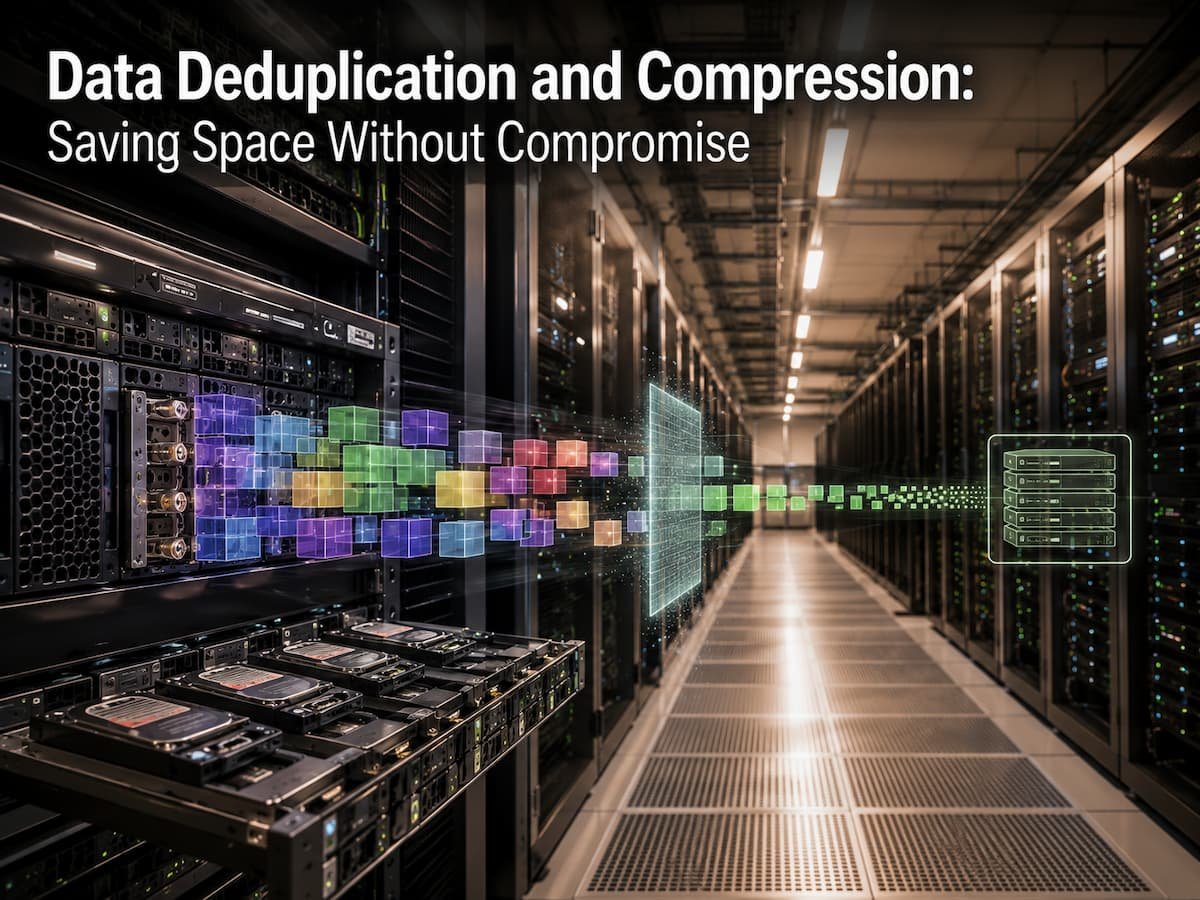
Data Deduplication and Compression: Saving Space Without Compromise
Companies generate and hold more data than before. Business documentation, customer records, application files, backups, and virtual machines put demand on storage systems. As data expands, many firms struggle to store more without buying new storage gear. Increasing storage space is one option, but it may not be the best or most cost-effective. Many enterprise data sets are duplicated or contain information that might be simplified. This is where data deduplication and compression help.
These technologies identify recurring data and reduceand allows storage systems space. However, many newcomers misunderstand how they work, when to utilize them, and whether reducing storage consumption affects reliability or performance. This article simplifies data deduplication and compression, discussing its benefits, drawbacks, and best practices.
Why Data Growth Is a Storage Issue
Modern IT settings struggle with data growth. Every program, gadget, and online service generates data that must be stored, safeguarded, and accessed. Small businesses keep emails, financial records, customer data, and backups, while massive corporations handle millions of files across several sites. Data creation and repetitive information are the issues. A corporation with thousands of employees may share software installation files, shared documents, operating system images, and email attachments. Storage systems may store duplicate data without optimization.
Backups often have this issue more. A daily backup may contain only a little quantity of fresh data, while most is untouched. Daily complete copy storage consumes space. Traditional storage solutions include expanding drives or buying larger systems. Although effective, this adds hardware prices, power consumption, maintenance, and management complexity. Storage efficiency methods are another option. They optimize storage resources rather than increasing capacity. Data deduplication and compression help enterprises store more data in less space.
Data Deduplication Understanding
Data deduplication optimizes storage by removing duplicate data. The system stores one copy of information and establishes references to it. Simple examples can illustrate. Assume 500 employees store the identical corporate policy document on their desktops. The storage system may maintain 500 copies without deduplication. The system saves one copy and records that numerous users need the same material via deduplication. Storage consumption decreases without compromising data. Users can still see their files, but the storage system works better in the background.
Data Deduplication Finds Duplicates
Data is frequently split into blocks or segments by deduplication technologies. Each block gets a hash value, or digital fingerprint. New data is compared to existing fingerprints. If the block exists, the system does not store another duplicate. It references the existing block. New blocks are stored properly. This approach lets storage systems find repeated data in different files. Only a few sections may change between two document versions. Block-level deduplication avoids storing unaltered parts.
Where Deduplication Is Commonly Used
Data deduplication is especially useful in environments that store large amounts of similar information. Common examples include:
- Backup storage systems
- Virtual machine environments
- Cloud storage platforms
- File servers
- Enterprise storage appliances
Backup systems benefit greatly because many backup copies contain repeated information. A company may keep months of backups, but most files may remain unchanged during that period. Deduplication reduces the amount of physical storage required while allowing organisations to maintain longer backup histories.
Understanding Data Compression
Data compression reduces the size of information by changing how data is stored. Unlike deduplication, which removes repeated copies, compression focuses on making individual files or data blocks smaller.
Many types of digital information contain patterns that compression can represent more efficiently. Compression algorithms analyse these patterns and create a smaller version of the original data. When the information is needed again, the system decompresses it back into a usable format. A common example is a compressed document archive. Instead of storing several separate files at their original sizes, compression software can package them into a smaller file by identifying repeated patterns and reducing unnecessary storage overhead.
Types of Data Compression
Compression is generally divided into two main categories: lossless compression and lossy compression.
| Compression Type | How It Works | Common Uses |
|---|---|---|
| Lossless Compression | Reduces file size while keeping all original information intact. | Documents, databases, software files, backups |
| Lossy Compression | Removes some information to achieve much smaller sizes. | Images, audio, video streaming |
Enterprise storage systems usually rely on lossless compression because business data must remain accurate. A financial database, customer record, or software application cannot lose important information during storage optimisation.
Why Compression Matters in Storage Systems
Compression helps organisations increase storage efficiency by reducing the physical space needed for data. This can lower storage costs and improve the ability to manage large amounts of information. However, compression requires processing power because the storage system must compress data when writing and decompress it when reading. Modern storage systems use advanced processors and optimisation techniques to reduce the impact on performance.
Warning: Compression is not equally effective for every type of data. Already compressed files like videos, images, and encrypted files usually provide minimal additional savings.
Data Deduplication vs Compression: Key Differences
Although deduplication and compression are often used together, they solve different problems. Understanding the difference helps organizations select the right storage strategy.
| Feature | Data Deduplication | Compression |
|---|---|---|
| Main Purpose | Removes duplicate copies of data | Reduces the size of stored data |
| Works On | Repeated blocks or files | Patterns inside data |
| Best For | Backups, repeated datasets, virtual environments | Large individual files and databases |
| Storage Savings | High when duplicate data is common | Depends on the data type |
| Processing Requirement | Requires comparison and indexing | Requires compression and decompression processing |
The strongest storage efficiency usually comes from combining both methods. Deduplication removes unnecessary copies, while compression reduces the size of the remaining unique data.
How Deduplication and Compression Work Together
Data deduplication and compression are often treated as separate technologies, but modern storage systems usually use them together because they solve different parts of the same problem. Deduplication removes unnecessary copies, while compression reduces the size of the remaining information. Think about a company that stores thousands of virtual machine images. Many of these systems may contain the same operating system files, application libraries, and configuration data. Deduplication identifies these repeated blocks and stores only one version. After duplicate information has been removed, compression can reduce the size of the unique data that remains.
Using both technologies creates a layered approach to storage efficiency. The storage system first looks for repeated information and then compresses the data that actually needs to be stored. This approach can significantly reduce storage requirements in environments where large amounts of similar data exist.
A Simple Example of Combined Storage Optimisation
| Storage Process | Original Size | Result |
|---|---|---|
| Multiple copies of similar data | 10 TB | Large amount of duplicated information |
| After deduplication | 10 TB reduced to 4 TB | Duplicate blocks removed |
| After compression | 4 TB reduced further | Remaining data stored more efficiently |
The exact savings depend on the type of data, storage system design, and workload. A backup environment with repeated information may achieve much higher savings than a system storing already compressed media files.
Expert Tip: Measure your actual data patterns before enabling storage optimisation. The best results come from understanding what type of information your organisation stores.
Benefits of Reducing Storage Consumption
The main advantage of deduplication and compression is better use of storage resources. Instead of constantly expanding storage infrastructure, organisations can improve efficiency by reducing unnecessary data growth. However, the benefits go beyond saving physical storage space. These technologies can influence operational costs, backup strategies, and overall IT management.
1. Lower Storage Costs
Storage hardware, maintenance, power, cooling, and management all contribute to the total cost of storing data. By reducing the amount of physical capacity required, organisations can delay hardware upgrades and make existing systems last longer. For example, a company that needs 100 TB of backup storage may not need to purchase that full amount if deduplication significantly reduces repeated information. The organisation can use available capacity more efficiently.
2. Faster Backup Operations
Backup environments often contain large amounts of repeated information. Deduplication reduces the amount of new data that needs to be transferred and stored during backup operations. This can improve backup windows, especially for organisations that must complete backups within limited time periods. Smaller backup sizes can also reduce network traffic when data is transferred to remote locations or cloud storage.
3. Better Data Management
As storage environments become larger, managing unnecessary copies becomes increasingly difficult. Storage optimisation helps administrators maintain cleaner environments and focus resources on important data.
4. Environmental Benefits
Reducing physical storage requirements can also lower energy consumption. Fewer storage devices may mean less power usage and reduced cooling requirements in data centres.
Different Types of Data Deduplication
Not all deduplication works in the same way. Storage systems use different methods depending on performance requirements, available resources, and the type of data being stored.
File-Level Deduplication
File-level deduplication compares complete files. If two files are identical, the system stores one copy and references the duplicate. This method is easier to manage but may miss savings when files are similar but not exactly the same. For example, two versions of a report with small changes may be stored separately even though most of the information is identical.
Block-Level Deduplication
Block-level deduplication divides files into smaller sections and compares those sections individually. This allows the system to identify repeated parts inside different files. For example, if employees save multiple versions of a large presentation, only the changed sections need to be stored separately. The unchanged blocks can be shared.
Inline and Post-Process Deduplication
| Method | Description | Advantages | Challenges |
|---|---|---|---|
| Inline Deduplication | Data is deduplicated while being written to storage. | Saves space immediately | Requires more processing during writes |
| Post-Process Deduplication | Data is stored first and optimised later. | Less impact during initial storage | Needs temporary additional capacity |
Choosing between these approaches depends on workload requirements. Systems that need immediate space savings may prefer inline methods, while environments focused on performance may choose post-process approaches.
Limitations and Common Challenges
Although data deduplication and compression provide important benefits, they are not perfect solutions for every environment. Understanding their limitations helps organisations avoid unrealistic expectations.
1. Not All Data Can Be Reduced
Some types of information already have efficient storage formats. Photos, videos, encrypted files, and compressed archives usually provide limited additional savings because their internal data patterns have already been reduced. Applying aggressive optimisation to these files may consume processing resources without producing meaningful storage benefits.
2. Performance Considerations
Deduplication and compression require computing resources. The system must analyse data, calculate fingerprints, identify duplicates, and compress information. Modern storage platforms are designed to handle these tasks efficiently, but poorly configured systems or older hardware may experience performance issues.
3. Risk During System Failure
Because deduplication uses shared data blocks, a storage failure affecting those blocks could impact multiple files. This makes reliable backup, monitoring, and recovery planning extremely important.
Common Mistakes to Avoid
- Assuming every workload will achieve the same storage savings
- Using deduplication without monitoring performance impact
- Ignoring backup and recovery testing
- Optimising data without understanding access requirements
- Failing to review storage efficiency reports regularly
The Future of Storage Efficiency
As data continues to grow, storage optimisation technologies will become even more important. Organisations are producing larger amounts of information through cloud applications, artificial intelligence systems, connected devices, and digital services. Future storage platforms are expected to use smarter optimisation techniques, including machine learning-based analysis and automated data management. These improvements may help systems identify optimisation opportunities more accurately while reducing performance impact.
However, the basic principle will remain the same: efficient storage is not only about adding more capacity. It is about understanding data and storing it intelligently. Data deduplication and compression provide practical ways to manage increasing storage demands without constantly expanding infrastructure. When used correctly, they help organisations reduce waste, improve efficiency, and create more sustainable storage environments.
Conclusion
Data deduplication and compression are important technologies for managing modern storage challenges. As organisations create more information, simply adding storage capacity is not always the most efficient solution. Reducing unnecessary duplication and storing data more intelligently can help businesses improve efficiency and control long-term storage growth.
Deduplication focuses on removing repeated information, while compression reduces the size of the data that remains. Together, these technologies provide a practical approach to saving storage space without compromising data availability. The most effective storage strategy begins with understanding your data. By analysing workloads, monitoring performance, maintaining strong backups, and choosing the right optimisation methods, organisations can create storage environments that are efficient, reliable, and prepared for future growth.
FAQs
1. What is the primary goal of data deduplication?
The primary goal of data deduplication is to reduce storage space by removing duplicate, identical information. Instead of storing multiple versions of the same data, the system keeps a single copy and creates a reference to that copy. This is particularly useful in backup environments, as many files remain unchanged between backup sessions.
2. Does compression remove data?
Lossless compression does not remove information. It changes the way data is stored so that it takes up less space, while allowing the original information to space while Lossy compression removes some data to reduce file size, but this method is typically used for media files rather than critical business information.
3. Can deduplication improve backup performance?
Yes, deduplication can improve backup efficiency by reducing the amount of data that needs to be stored and transferred. Smaller backup files reduce network usage and shorten backup windows. However, the actual improvement depends on the data type and the storage system used.
4. Can data deduplication replace backups?
No. Deduplication can only improve storage efficiency. It cannot prevent accidental deletion, malware infections, hardware failures, or disasters. Companies still need to develop robust backup strategies, including multiple backups of critical data and regular recovery tests.
5. Which data benefits most from deduplication?
Data with many duplicate copies benefits the most. Examples include backup files, virtual machine images, software installations, and shared documents. Unique or compressed data typically takes up less space.