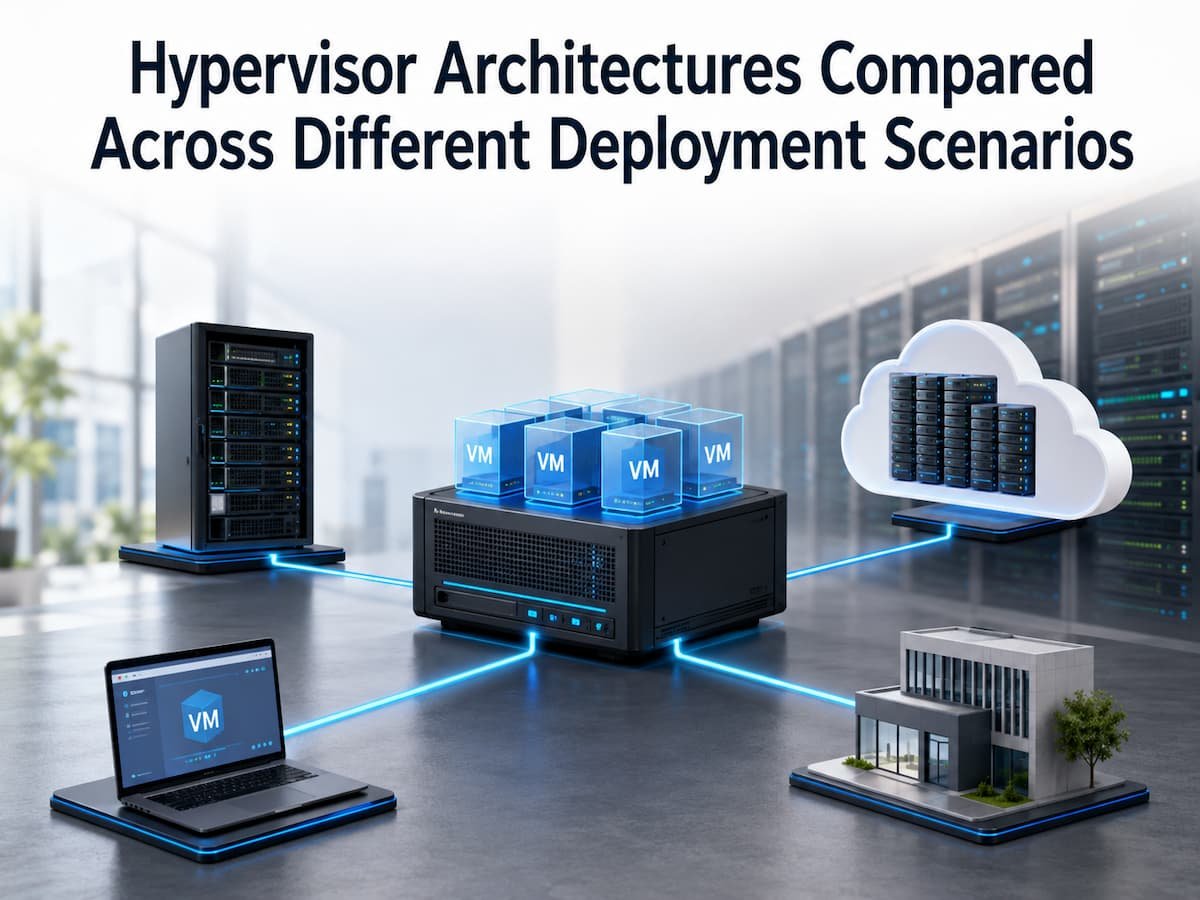
Hypervisor Architectures Compared Across Different Deployment Scenarios
Virtualization has revolutionized the way companies build and manage computer systems. Instead of running each program on a separate physical server, companies can use virtual machines to optimize the sharing of hardware resources. At the heart of this technology is the hypervisor, a software component that enables multiple operating systems to run simultaneously on a single physical machine. However, not all hypervisors are created equal; different architectures vary in terms of performance, security, management complexity, and scalability. A hypervisor suitable for personal development environments may not be appropriate for large data centers or cloud service providers.
Choosing the right hypervisor architecture requires an understanding of each architecture’s capabilities and optimal use cases. This article outlines the key types of hypervisor architectures, evaluates their pros and cons, and examines how companies can make the right choice for various deployment environments. Whether you are new to virtualization or considering an infrastructure upgrade, understanding these differences will help you make more informed technology decisions.
Understanding Hypervisor Frameworks
A hypervisor is a software component used to create and manage virtual machines (VMs). It enables a single physical computer (often referred to as the host) to run multiple independent virtual machines simultaneously. Each virtual machine operates like an independent computer, with its own operating system, applications, storage, and virtualized hardware. For example, a single physical server might host a Windows virtual machine for business applications, a Linux virtual machine for web services, and another virtual machine for database tasks.
The hypervisor is responsible for managing the allocation of physical resources among the various virtual environments. It manages CPU usage, memory allocation, access to data storage, and network interactions. Without a hypervisor, each operating system typically requires its own dedicated hardware. This traditional approach can lead to resource waste, as many servers operate well below their optimal performance levels. Virtualization improves productivity by allowing different workloads to share the same hardware resources.
Core Responsibilities of a Hypervisor
Although hypervisors vary in design, they generally perform several important tasks:
- Creating and running virtual machines
- Allocating CPU and memory resources
- Managing virtual storage devices
- Controlling network connections
- Providing isolation between virtual machines
- Supporting VM migration and recovery features
The hypervisor architecture determines how these responsibilities are handled. This is why choosing between different hypervisor designs can significantly affect system performance and management.
Why Hypervisor Choice Matters
Selecting a hypervisor is not simply a technical preference. The decision affects reliability, operational expenses, security, and future growth. Different environments have different requirements, so the best choice depends on the purpose of the virtual infrastructure. For example, a large company running hundreds of business-critical applications needs strong management features, high availability, and predictable performance. A developer testing software on a personal laptop may instead prioritise simplicity and convenience.
Different Environments Have Different Priorities
| Deployment Scenario | Main Priority | Important Hypervisor Features |
|---|---|---|
| Enterprise Data Center | Reliability and scalability | High availability, resource management, monitoring |
| Cloud Platform | Large-scale automation | Multi-tenant support, fast provisioning, isolation |
| Small Business | Easy management | Simple setup, low maintenance requirements |
| Development Environment | Flexibility | Fast setup, testing capabilities |
Using the wrong architecture can create unnecessary complexity. A small organization may not need advanced enterprise features, while a large infrastructure environment may quickly outgrow basic virtualization solutions.
Type 1 vs Type 2 Hypervisors: The Fundamental Difference
Hypervisors are generally divided into two main categories: Type 1 and Type 2. The biggest difference between them is where the hypervisor runs in relation to the physical hardware and operating system.
- Type 1 hypervisors, also known as bare-metal hypervisors, run directly on the physical machine. They interact with hardware without requiring a traditional operating system underneath.
- Type 2 hypervisors, also called hosted hypervisors, run as applications on top of an existing operating system. They depend on the host operating system to communicate with hardware resources.
| Feature | Type 1 Hypervisor | Type 2 Hypervisor |
|---|---|---|
| Runs on | Directly on hardware | Existing operating system |
| Typical Usage | Servers, data centers, cloud platforms | Desktop computers, testing environments |
| Performance | Usually higher | Usually lower due to an extra software layer |
| Management | Designed for large-scale administration | Designed for simplicity |
| Hardware Access | Direct access | Through the host operating system |
Why the Difference Exists
The architectural difference is the number of software layers between virtual machines and physical hardware.
- A Type 1 hypervisor has fewer layers because it communicates directly with the hardware. This allows better control over resources and often improves performance.
- A Type 2 hypervisor adds another layer because it depends on a normal operating system. This approach makes installation easier but introduces additional overhead.
Tip: The simpler architecture is not always the best choice. The correct hypervisor depends on the workload, management needs, and environment.
How Type 1 Hypervisor Architecture Works
A Type 1 hypervisor is installed directly onto physical server hardware. Instead of installing Windows, Linux, or another operating system first, the hypervisor becomes the primary software layer controlling the machine. The physical hardware provides CPU, memory, storage, and networking resources. The hypervisor divides these resources into virtual environments and presents them as virtual hardware to each guest operating system. Each virtual machine operates independently. One VM may run a database application while another hosts a website. The hypervisor ensures that each workload receives the resources it needs while maintaining separation between systems.
Advantages of Type 1 Hypervisors
| Advantage | Explanation |
|---|---|
| Better performance | Direct hardware communication reduces overhead. |
| Improved scalability | Suitable for running many virtual machines |
| Strong isolation | Virtual machines are separated at the hypervisor level. |
| Enterprise features | Often includes management and automation tools |
Because of these advantages, many organizations commonly use Type 1 hypervisors in professional infrastructure environments where reliability and efficiency are important.
Limitations of Type 1 Hypervisors
Despite their benefits, Type 1 hypervisors are not perfect for every situation. They usually require more technical knowledge to install and manage. Organisations may also need dedicated hardware and trained administrators. For someone who simply wants to test a new operating system on a personal computer, a Type 1 solution may introduce unnecessary complexity.
How Type 2 Hypervisor Architecture Works
A Type 2 hypervisor takes a different approach from a Type 1 design. Instead of being installed directly on physical hardware, it operates as a normal application inside an existing operating system. The host operating system manages the hardware, and the hypervisor uses the resources provided by that operating system to create virtual machines.
For example, a person using a Windows laptop can install a Type 2 hypervisor application and create a virtual Linux machine inside Windows. The Linux environment behaves like a separate computer while still sharing the laptop’s processor, memory, storage, and network connection. This architecture is popular because it is easy to install and does not require dedicated server hardware. Users can quickly create virtual environments for learning, software testing, demonstrations, and personal projects.
Advantages of Type 2 Hypervisors
| Advantage | Explanation |
|---|---|
| Simple installation | Can usually be installed like any other desktop application |
| Lower hardware requirements | Works on existing computers without dedicated servers |
| Convenient testing | Allows users to create temporary virtual environments quickly |
| Good for learning | Useful for students and developers exploring different operating systems |
The simplicity of Type 2 hypervisors makes them valuable in situations where convenience matters more than maximum performance.
Limitations of Type 2 Hypervisors
Because Type 2 hypervisors depend on a host operating system, they introduce an additional software layer between virtual machines and physical hardware. This can reduce performance compared with bare-metal solutions. The host operating system also becomes a dependency. If the host system experiences problems, every virtual machine running on top of it may be affected.
| Challenge | Impact |
|---|---|
| Extra software layer | Can increase resource usage |
| Host operating system dependency | Failures can affect virtual machines |
| Limited scalability | Not ideal for hundreds of production workloads |
Hypervisor Architectures Across Different Deployment Scenarios
There is no single hypervisor architecture that is perfect for every situation. The right choice depends on workload requirements, technical skills, budget, security expectations, and future growth plans. A company operating a large online service has very different needs from a university student experimenting with operating systems. Understanding deployment scenarios helps explain why different hypervisor architectures exist.
Quick Comparison Across Common Scenarios
| Scenario | Recommended Architecture | Main Reason |
|---|---|---|
| Enterprise servers | Type 1 | Performance, reliability, scalability |
| Cloud infrastructure | Type 1 | Large-scale resource management |
| Developer laptop | Type 2 | Convenience and flexibility |
| Training environment | Type 2 or lightweight Type 1 | Easy experimentation |
| Small office server | Depends on requirements | Balance between simplicity and growth |
The important lesson is that hypervisor selection should begin with understanding the workload rather than choosing technology first.
Enterprise Data Center Deployments
Large enterprise data centers are one of the most common environments for Type 1 hypervisors. These environments often run hundreds or thousands of virtual machines supporting critical business operations. Companies use virtualization to improve hardware utilisation, reduce physical server requirements, and simplify infrastructure management. Instead of maintaining separate servers for every application, organisations can consolidate workloads onto fewer poutilization,nes.
Why Type 1 Hypervisors Fit Enterprise Environments
Enterprise systems require predictable performance and strong reliability. Type 1 hypervisors provide direct access to hardware resources, making them suitable for demanding workloads. They also support advanced management capabilities such as
- Virtual machine migration between physical servers
- Automatic workload balancing
- High availability features
- Centralised monitoring
- Resource scheduling
Example Enterprise Scenario
Imagine a financial organization running customer applications, databases, internal systems, and analytics platforms. Instead of purchasing separate physical servers for every application, the organisation can run multiple virtual machines on a smaller number of high-performance servers. If one physical server requires maintenance, virtual machines can potentially be moved to another server with minimal disruption. This improves operational flexibility and reduces downtime risks.
| Enterprise Requirement | How Virtualization Helps |
|---|---|
| High availability | Allows workloads to move between systems |
| Resource efficiency | Shares hardware between applications |
| Faster deployment | Creates new virtual machines quickly |
| Disaster recovery | Makes backups and recovery easier |
Cloud Computing Environments
Cloud computing relies heavily on virtualization technology. Cloud providers use large-scale hypervisor infrastructures to deliver computing resources to customers without requiring them to purchase physical servers. When a customer creates a virtual server through a cloud platform, they are usually receiving a virtual machine managed by a hypervisor layer inside the provider’s infrastructure.
Why Cloud Providers Use Advanced Hypervisor Architectures
Cloud environments have unique requirements because they support many customers on shared physical infrastructure. The hypervisor must provide strong isolation, efficient resource allocation, and reliable performance.
| Cloud Requirement | Hypervisor Role |
|---|---|
| Customer isolation | Keeps different users separated |
| Rapid provisioning | Creates virtual machines quickly |
| Resource management | Allocates CPU, memory, and storage efficiently |
| Scalability | Supports changing workloads |
Cloud providers typically rely on Type 1 hypervisor architectures because they need maximum efficiency across thousands of physical servers.
Challenges in Cloud Virtualization
Although cloud environments provide flexibility, they also introduce challenges. Organisations must understand resource usage, security responsibilities, and costOrganizationsA poorly configured virtual environment can waste resources even when the cloud platform itself is highly scalable. Good planning remains necessary regardless of where the infrastructure runs.
Small Business and Laboratory Environments
Small businesses often have different virtualization requirements compared with large enterprises. They may want to run several services on one physical server while keeping management simple. For example, a small company might need separate systems for file sharing, internal applications, backup services, and testing environments. Virtualization can allow these services to run independently without purchasing multiple physical machines.
Choosing the Right Approach
| Business Situation | Possible Choice |
|---|---|
| Very small office with limited technical staff | Simple virtualization solution |
| Growing company expecting expansion | Scalable Type 1 platform |
| Testing and learning environment | Type 2 hypervisor |
The biggest mistake small businesses make is choosing technology only based on current needs. A solution that works today may become difficult to manage as the company grows.
Balancing Simplicity and Future Growth
Small organizations should avoid unnecessary complexity but still consider future requirements. A basic setup may be enough initially, but you should still include documentation, backup planning, and security practices from the beginning.
Development and Testing Environments
Development and testing are some of the most common use cases for Type 2 hypervisors. Software developers, students, and IT professionals often need multiple operating systems or isolated environments to test applications without affecting their main computer.
A developer working on a web application may need to test how the software behaves on different operating systems. Instead of maintaining several physical computers, they can create virtual machines on a single workstation. This approach saves time and reduces hardware requirements. Virtual machines can also be created, modified, and deleted quickly, making them ideal for experimentation.
Why Type 2 Hypervisors Are Popular for Testing
| Requirement | How Type 2 Hypervisors Help |
|---|---|
| Quick setup | Users can install and create virtual machines easily |
| Safe experimentation | Changes remain isolated from the main system. |
| Multiple environments | Different operating systems can run on one computer |
| Learning purposes | Students can practice administration skills safely |
Example Development Scenario
A software engineer creating an application for Linux, Windows, and macOS users may need to test compatibility across different environments. Instead of buying separate devices, virtual machines provide a practical alternative.
The engineer can create snapshots before making major changes. If something goes wrong, the virtual machine can be restored to its previous state without affecting the main computer. However, testing environments usually do not require the same performance level as production systems. This is why the convenience of Type 2 hypervisors often makes them a better choice for individual users.
Performance Comparison Between Hypervisor Architectures
Performance is one of the most important factors when comparing hypervisor architectures. While modern virtualization technology has improved significantly, the underlying architecture still affects efficiency. Type 1 hypervisors usually provide better performance because they communicate directly with hardware. Type 2 hypervisors introduce an additional layer through the host operating system, which can create extra resource overhead.
Performance Factors to Consider
| Factor | Type 1 Hypervisor | Type 2 Hypervisor |
|---|---|---|
| CPU performance | Usually higher efficiency | Additional software layer may reduce efficiency |
| Memory management | Direct resource control | Depends on the host operating system. |
| Storage performance | Designed for server workloads | Limited by host storage system |
| Network performance | Optimized for large environments | Depends on host network configuration |
For everyday users, the performance difference may not always be noticeable. Running a small test environment on a modern laptop can work perfectly well with a Type 2 hypervisor. The difference becomes more important when running many virtual machines, processing large amounts of data, or supporting business-critical applications.
Performance Is Not Only About Speed
A common mistake is judging hypervisors only by raw performance numbers. In real-world environments, reliability, management features, security, and operational efficiency are equally important. A slightly slower solution that is easier to manage may be more valuable for a small organization. Similarly, a high-performance platform may be unnecessary for a temporary testing environment.
Security Considerations When Choosing a Hypervisor
Security is a major concern in viorganization.because multiple virtual machines share the same physical hardware. A problem affecting the virtualization layer could potentially impact several systems. Hypervisor architecture influences security because it determines how virtual machines communicate with physical resources.
Type 1 Security Advantages
Type 1 hypervisors often provide stronger isolation because they operate directly on hardware. They have fewer software layers between virtual machines and physical resources. This approach reduces the number of components that must be secured. In enterprise environments, this can simplify security management.
Type 2 Security Considerations
Type 2 hypervisors depend on the security of the host operating system. If an attacker compromises the host computer, they may also affect the virtual machines.
Warning: Virtualization improves resource usage, but it does not automatically make systems secure. Proper configuration and maintenance are still required.
Resource Management in Virtualized Environments
One of the biggest advantages of virtualization is the ability to share hardware resources efficiently. However, poor resource management can create performance problems. A physical server has limited CPU, memory, storage, and network capacity. The hypervisor divides these resources among virtual machines, but administrators must allocate them carefully.
Common Resource Management Problems
| Problem | Effect |
|---|---|
| Too many virtual machines on one host | Reduced performance for all workloads |
| Incorrect memory allocation | Slow applications and system instability |
| Storage overload | Long response times |
| Poor workload planning | Uneven resource usage |
Resource Planning Best Practices
- Monitor resource usage regularly
- Avoid assigning more resources than necessary
- Understand application requirements before deployment
- Plan capacity based on future growth
- Review unused virtual machines regularly
Virtualization makes hardware more flexible, but it does not remove physical limitations. Good planning you use available resourcesrces are used effectively.
Scalability Challenges in Virtualized Infrastructure
Although virtualization helps organizations scale, growing virtual environments create new challenges. Managing five virtual machines is very different from managing hundreds or thousands. As the number of virtual machines increases, administrators need better automation, monitoring, security controls, and documentation.
Common Scaling Challenges
| Challenge | Why It Happens |
|---|---|
| Management complexity | More systems require more administration |
| Resource conflicts | Multiple workloads compete for hardware. |
| Configuration differences | Manual changes create inconsistency. |
| Monitoring difficulties | More systems create more performance data. |
Scaling Beyond Virtual Machines
Modern infrastructure often combines traditional virtualization with other technologies such as containers and cloud platforms. This allows organizations to choose the right approach for different workloads.
For example, a company may use virtual machines for complete operating system environments while using containers for lightweight application deployment. The important point is that virtualization remains a foundation technology, but organizations often combine it with other solutions to meet modern infrastructure needs.
Common Mistakes When Selecting a Hypervisor
Choosing a hypervisor without understanding the deployment environment can lead to unnecessary costs and technical problems. Many organizations focus only on features while ignoring their actual requirements.
| Mistake | Better Approach |
|---|---|
| Selecting the most complex solution | Choose based on actual needs. |
| Ignoring security planning | Include protection from the beginning |
| Skipping performance testing | Measure before making major decisions. |
| Managing everything manually | Automate repetitive tasks where possible. |
Best Practices for Selecting a Hypervisor Architecture
Choosing the right hypervisor architecture requires looking beyond technical specifications. The best option depends on the purpose of the infrastructure, the expected workload, available resources, and the skills of the people managing it. A common mistake is selecting a hypervisor simply because it is popular or because another organization uses it. Infrastructure decisions should always begin with understanding the specific requirements of the environment.
Evaluate the Workload First
The type of applications being hosted should influence the decision. A system rorganizationtant business databases requires different capabilities from a temporary testing environment.
| Workload Type | Important Requirements | Suitable Approach |
|---|---|---|
| Business-critical applications | Reliability, availability, performance | Type 1 hypervisor |
| Cloud services | Automation, isolation, scalability | Type 1 hypervisor |
| Software testing | Flexibility and quick setup | Type 2 hypervisor |
| Personal learning | Simple installation | Type 2 hypervisor |
Consider Management Requirements
The number of virtual machines and administrators involved can change the ideal choice. A single user managing two virtual machines has completely unique needs compared with a company operating hundreds of servers. Enterprise environments usually require central management tools, automation, monitoring systems, and advanced security controls. Smaller environments may benefit from simpler solutions that require less maintenance.
The cost of virtualization includes more than just software licensing. Organizations should also consider hardware requirements, administration time, training, maintenance, and future upgrades. A solution that appears inexpensive at the beginning may become expensive if it requires excessive manual management or cannot support future growth.
The Future of Hypervisor Architectures
Hypervisor technology continues to evolve as computing requirements change. Although virtualization has existed for many years, it remains a key part of modern infrastructure because it provides flexibility, efficiency, and better resource utilisation. Future infrastructure environments are likely to combine multiple technologies rather than relying on one solution. Virtual machines, containers, cloud platforms, and automation systems are increasingly used together.
Integration With Cloud and Automation
Modern organizations expect infrastructure to be faster and easier to manage. Automation tools help create virtual machines, configure resources, and maintain systems with fewer manual steps. Hypervisors are becoming part of larger infrastructure platforms where computing resources can be managed through software rather than manual configuration.
Virtualization and Container Technologies
Containers have become popular because they provide lightweight application environments. However, they do not replace virtual machines in every situation.
| Technology | Best Use Case |
|---|---|
| Virtual Machines | Running complete operating systems and isolated environments |
| Containers | Deploying lightweight applications quickly |
| Cloud Platforms | Providing flexible infrastructure resources |
Many organizations use virtual machines as the foundation layer and containers above them. This combination provides both strong isolation and efficient application deployment.
A Practical Decision Guide for Choosing Between Hypervisor Types
For beginners, deciding between Type 1 and Type 2 hypervisors can seem complicated. A simple way to approach the decision is to consider what problem you are trying to solve.
| Question | If yes, | Recommended Direction |
|---|---|---|
| Will this run important business services? | Yes. | Consider Type 1. |
| Do you need many virtual machines? | Yes. | Consider Type 1. |
| Are you testing software on a personal computer? | Yes. | Consider Type 2. |
| Do you need quick installation? | Yes. | Consider Type 2. |
| Will many users share the infrastructure? | Yes. | Consider Type 1. |
The goal is not choosing the most advanced technology. The goal is selecting an architecture that provides the right balance of performance, simplicity, security, and manageability.
Conclusion
Hypervisor architectures play a crucial role in the modern computing landscape, helping organizations utilize hardware resources more efficiently. However, selecting the right architecture requires an understanding of the differences between Type I and Type II designs and how they align with various deployment scenarios.
Type I hypervisors are typically suited for enterprise servers, cloud platforms, and environments demanding high performance, scalability, and reliability. Type II hypervisors are better suited for personal use, education, software testing, and scenarios where simplicity takes precedence over maximum performance.
The best virtualization strategy begins with the workload, not the name of the technology. Organizations should consider performance needs, security requirements, administrative complexity, future growth, and available resources before making a decision. As infrastructure evolves, hypervisors will remain a fundamental technology alongside cloud computing, automation, and container platforms. Understanding their architecture helps individuals and organizations build systems that are more efficient, flexible, and future-proof.
FAQs
1. What are the key differences between Type I and Type II hypervisors?
The primary difference lies in the environment where the hypervisor runs. Type I hypervisors run directly on the physical hardware, whereas Type II hypervisors run as applications within an existing operating system. Type I designs are widely used in server and cloud environments because they offer superior control and efficiency. Type II designs are better suited for PCs because they are easier to install and test.
2. Are Type I hypervisors always better than Type II hypervisors?
Not necessarily. While Type I hypervisors are generally better suited for large-scale production environments, they may not be necessary for simpler tasks. Developers testing software on a laptop, for instance, might prefer a Type 2 hypervisor because it is easier to manage. The best choice depends on the environment’s purpose, the workload, and technical requirements.
3. Why do cloud providers typically use Type 1 hypervisors?
Cloud providers must support thousands of customers on shared physical infrastructure. Type 1 hypervisors offer direct hardware control, strong isolation, and efficient resource management. These features help cloud companies deliver reliable virtual servers while enabling numerous customers to securely use the same physical hardware.
4. Can small businesses use Type 1 hypervisors?
Yes. Small businesses can use Type 1 hypervisors, especially when reliable server virtualization is required. However, companies should consider whether they possess the necessary technical expertise and management resources. For very small environments, simpler solutions may be easier to maintain.
5. Can hypervisors improve computing performance?
Hypervisors do not automatically improve computing speed. Their primary purpose is to optimize resource utilization by allowing multiple systems to share the same hardware. Performance depends on hardware capacity, workload design, resource allocation, and proper configuration.
6. Are virtual machines more secure than physical machines?
Virtual machines offer isolation, which can enhance security management, but they are not inherently more secure. Proper configuration, updates, access control, monitoring, and backups remain essential. Poorly managed virtual environments can lead to security issues just as physical infrastructure can.