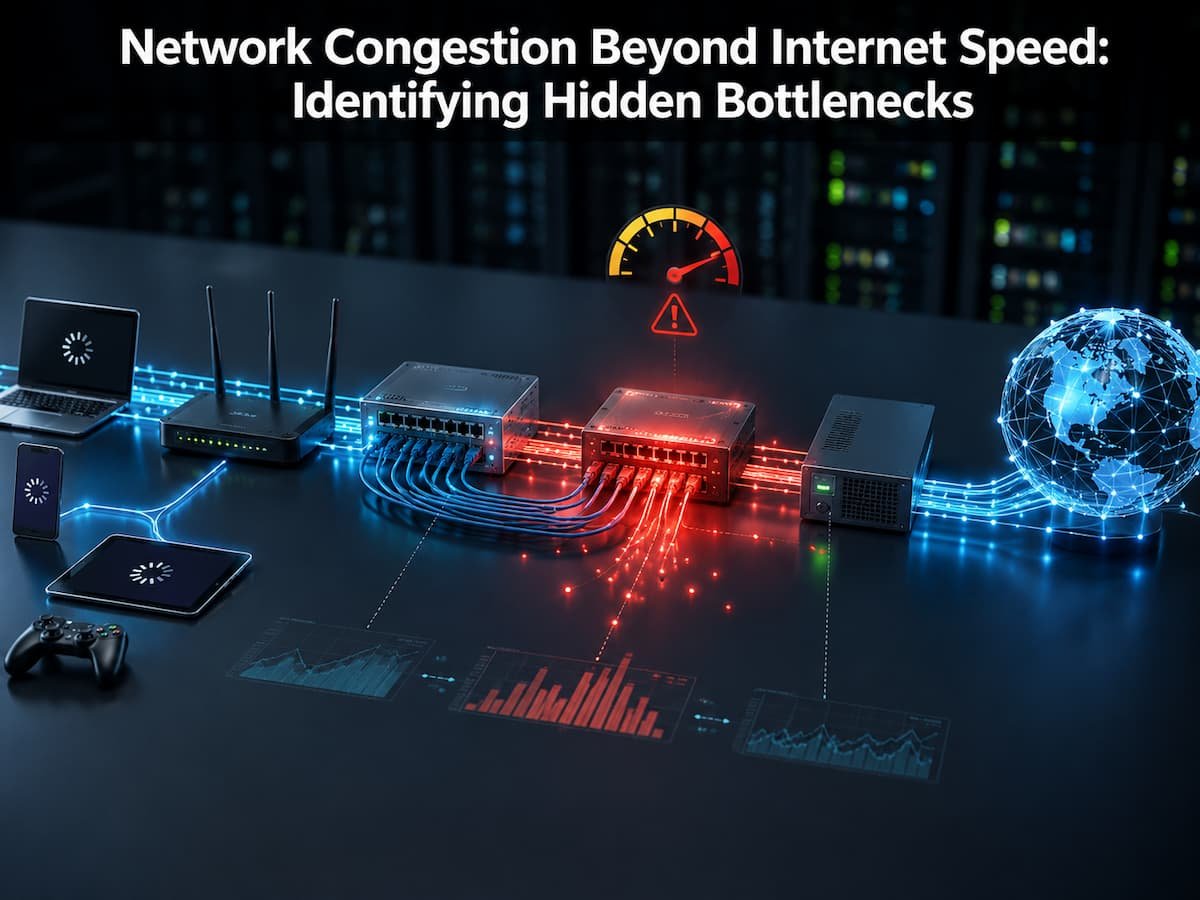
Network Congestion Beyond Internet Speed: Identifying Hidden Bottlenecks
Understanding network congestion allows you to address the issue effectively rather than blindly spending money on potentially ineffective upgrades. This book explores the causes of network congestion, warning signs, common bottlenecks, and practical ways to improve network performance.
What is Network Congestion?
Network congestion occurs when the volume of data requiring transmission across a network exceeds the resources available for efficient processing. Just as a busy highway becomes clogged with too many vehicles, a digital network slows down when too many users and devices attempt to utilize limited network capacity. All networks have limitations. Home routers, wireless channels, ISP connections, and commercial network links can only handle a finite amount of traffic at once. Latency arises when demand approaches or exceeds a specific limit.
Consider, for example, a household sharing a single internet connection. One person is watching 4K video, another is playing online games, a laptop is uploading a cloud backup, and multiple phones are downloading updates. Even with a very fast internet plan, network congestion can still occur. The problem is that congestion isn’t necessarily caused by the internet connection itself; it can happen anywhere between your device and the server.
How Congestion Affects Everyday Activities
Different applications react differently when congestion occurs. Some activities may continue working normally, while others become frustrating.
| Activity | Effect of Congestion |
|---|---|
| Video streaming | Buffering, lower video quality, longer loading times |
| Online gaming | High latency, delayed responses, unstable gameplay |
| Video meetings | Audio delays, frozen screens, dropped connections |
| Cloud backups | Slower uploads and longer synchronization times |
| Web browsing | Slow page loading and delayed responses |
A key mistake many users make is focusing only on download speed. Network quality also depends on latency, packet loss, and how efficiently traffic moves through the network.
Why Fast Internet Can Still Feel Slow
Internet speed is only one part of the overall network experience. A connection advertised as 1 Gbps does not mean every device will always receive that performance. Real-world network conditions often reduce the available speed. Think of your internet connection as a water pipe. A large pipe can carry a lot of water, but if another section of the system is narrow, the overall flow is limited by the weakest point. Networks work in a similar way. Internet providers usually advertise the maximum capacity of a connection under ideal conditions. Actual performance depends on many factors, including:
- The number of connected devices
- Wi-Fi signal quality
- Router processing ability
- Network traffic at peak times
- Distance from servers
- Quality of the connection path
A user may have a fast fiber connection but still experience delays because the router cannot handle many simultaneous connections or because the wireless environment is crowded.
Example: A Fast Connection With a Slow Experience
Consider someone with a 500 Mbps internet connection. During a speed test with only one device connected, the result looks excellent. Later in the evening, several family members start streaming videos, uploading files, and using smart home devices. The connection speed has not changed, but competition for network resources has increased. The result may be slower responses, higher latency, and inconsistent performance.
Where Hidden Network Bottlenecks Usually Appear
A network connection is made of multiple stages. Data travels through your device, local network equipment, internet provider infrastructure, and remote servers. Any one of these points can become a bottleneck.
Home Network Bottlenecks
Many congestion problems begin inside the home. Modern households often have dozens of connected devices, including smartphones, televisions, cameras, speakers, gaming consoles, and smart appliances. Older routers may struggle to manage many active connections at once. Even if you upgrade the internet service, outdated equipment can still limit performance.
| Network Component | Possible Bottleneck |
|---|---|
| Router | Limited processing power, outdated hardware |
| Wi-Fi connection | Signal interference, crowded channels |
| Network cable | Low-quality or outdated cable standards |
| Connected devices | Too many simultaneous data transfers |
Internet Provider Bottlenecks
Congestion can also happen outside your home. Internet service providers manage large networks that serve many customers. During busy periods, some areas may experience reduced performance because many users are accessing the network at the same time. This is why some users notice that their connection works perfectly in the morning but slows down during evening hours when more people are online.
Common Causes of Network Congestion
1. Too Many Devices Used
One of the easiest ways to create congestion is simply to have too many devices fighting for the network resources. Smart homes are particularly affected where multiple devices are chatting in the background all the time. A streaming TV, a security camera sending video, a computer syncing data—all can take a lot of bandwidth without people knowing.
2. Big Upload Activities
Downloads get a lot of attention, but uploads can create major congestion. Cloud backups, video uploads and file-sharing apps can eat up upload capacity and slow down other activity. For example, uploading a huge folder on your computer can make a video call unstable, as both activities are competing for the same upstream connection.
3. Radio Frequency Interference (RFI)
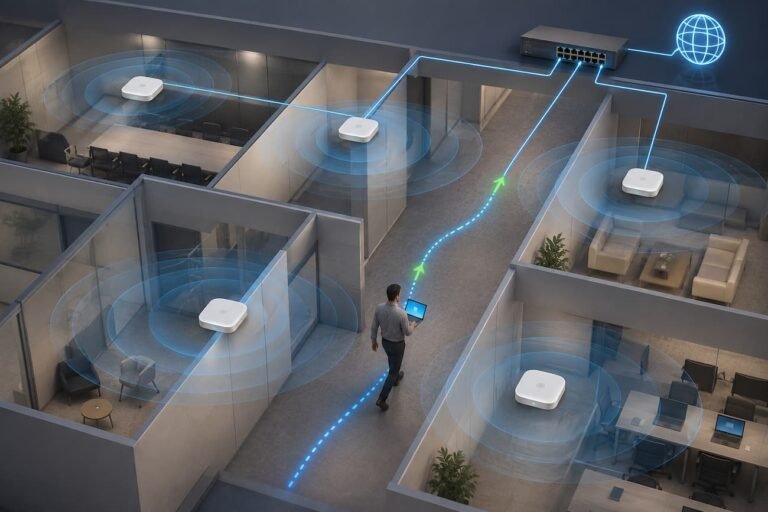
Because so many devices share the restricted wireless channels, Wi-Fi networks are particularly susceptible to congestion. Nearby routers, Bluetooth devices, walls and physical distance can restrict the available performance. And a good internet package won’t make up for a bad wireless environment. Your device and router connection also need to be reliable.
Bandwidth vs Network Congestion
Bandwidth and network congestion are similar but refer to separate issues. People confuse troubleshooting with the same thing and make blunders. Bandwidth is the maximum amount of data a network connection can carry in a given time period. Traffic congestion occurs when too much traffic is fighting for the available capacity. A simple example may suffice to show the difference. Picture a roadway with five lanes. The bandwidth is the number of lanes. When many cars are driving, traffic doesn’t flow smoothly. But when thousands of automobiles enter the roadway at once, there is congestion even if the number of lanes hasn’t increased.
| Bandwidth | Network Congestion |
|---|---|
| The maximum data capacity of a connection | A condition where traffic demand exceeds available resources |
| Usually measured in Mbps or Gbps | Often noticed through delays, slow responses, and instability |
| Improved by upgrading network capacity | Improved by managing traffic and removing bottlenecks |
| Does not guarantee perfect performance | Can happen even on high-speed connections |
A common mistake is assuming that buying a faster internet package automatically removes congestion. If the problem exists inside the home network, such as an overloaded router or poor Wi-Fi coverage, additional bandwidth may not make a noticeable difference.
Why Latency Matters During Congestion
Latency is the time it takes for data to travel from one point to another. During congestion, network devices often place data packets into waiting queues. These delays increase latency, which affects activities that require fast responses. A large file download may continue successfully during congestion, but online gaming and video meetings may suffer because they depend on quick communication between devices.
How to Detect Network Congestion Problems
Finding congestion requires looking beyond a single speed test result. A network problem may appear only during certain times, with specific devices, or during specific activities.
Observe When Problems Occur
The timing of the problem provides important clues. If your connection slows down every evening, peak usage periods may be causing the issue. If problems occur only when a specific device is active, that device may be using too many resources. Keep track of patterns such as:
- Time of day when performance decreases
- Devices connected during the slowdown
- Applications running in the background
- Whether the problem affects Wi-Fi only or wired connections too
Use Network Monitoring Tools
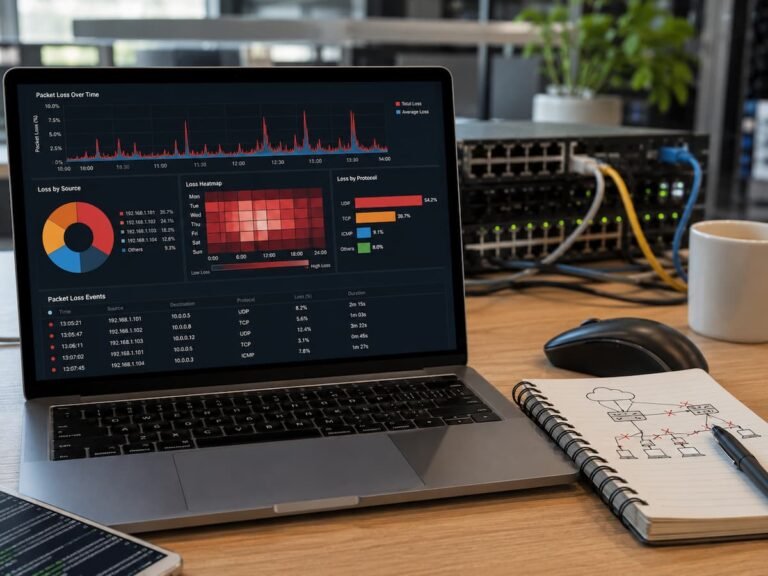
Many modern routers provide basic network monitoring features. These tools can show connected devices, traffic usage, and unusual activity. More advanced users can use network analysis tools to measure latency, packet loss, and traffic patterns. These measurements provide better information than simply checking download speed.
| Measurement | What It Shows |
|---|---|
| Bandwidth usage | Which devices consume the most network capacity? |
| Latency | How quickly data travels across the network |
| Packet loss | Whether data packets are being dropped |
| Signal strength | The quality of wireless connection |
Compare Wired and Wireless Performance
One of the easiest troubleshooting methods is comparing a wired connection with Wi-Fi. If a computer connected by Ethernet performs well while wireless devices struggle, Wi-Fi congestion is likely the cause of the problem, not your internet service. This simple comparison can save time because it helps identify whether the issue is inside your network or outside with your provider.
Practical Ways to Reduce Network Congestion
Once you identify congestion, the next step is to improve how you use network resources. The solution depends on where the bottleneck exists.
1. Remove Unnecessary Network Traffic
Background applications often create hidden network demand. Computers may automatically synchronize files, update software, or upload data without obvious warnings. Review devices connected to your network and check whether unnecessary services are running. Reducing unwanted traffic can immediately improve performance.
2. Improve Router Placement
Router location has a major effect on wireless performance. A router hidden behind furniture or placed far from frequently used devices may create weak connections. For better Wi-Fi performance:
- Place the router in a central location
- Avoid physical barriers when possible
- Keep it away from sources of interference
- Update router firmware regularly
3. Use Quality of Service Settings
Many routers include Quality of Service (QoS) features. QoS allows users to prioritize important traffic. For example, a video meeting can receive higher priority than a large software download. This does not increase available bandwidth, but it helps the network use existing capacity more effectively.
4. Upgrade Network Equipment When Necessary
Sometimes the bottleneck is outdated hardware. Older routers may not support modern traffic demands, especially in homes with many connected devices. Before replacing equipment, confirm that the router is actually limiting performance. Random upgrades can waste money if the real issue exists elsewhere.
Common Mistakes People Make When Fixing Network Problems
Many users try quick solutions that do not address the real cause. Understanding these mistakes helps avoid wasted effort.
- Only Checking Internet Speed
- Replacing Equipment Too Quickly
- Ignoring Upload Traffic
- Connecting Everything to Wi-Fi
Network Congestion Prevention: Long-Term Best Practices
Preventing congestion is easier than constantly troubleshooting problems. A well-managed network provides better performance and fewer unexpected slowdowns.
- Regularly update router software
- Remove unused connected devices
- Monitor unusual bandwidth usage
- Separate important devices from unnecessary traffic
- Use wired connections for high-demand devices when possible
- Review router settings occasionally
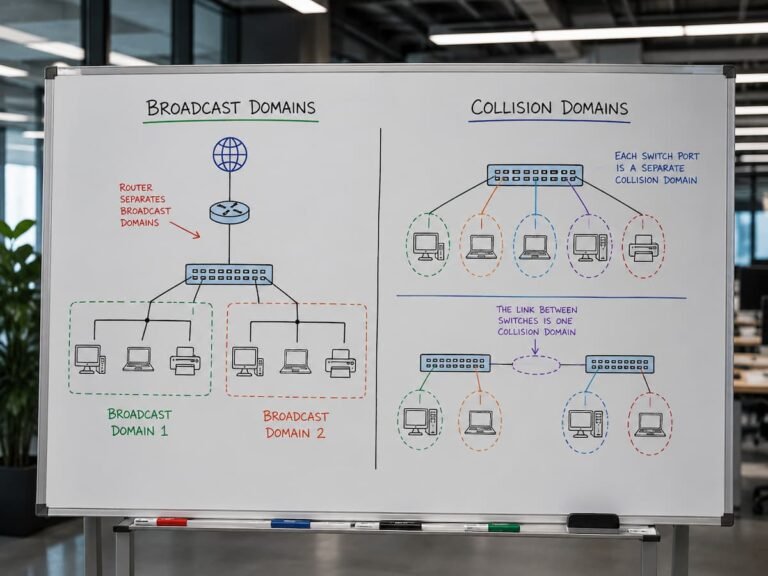
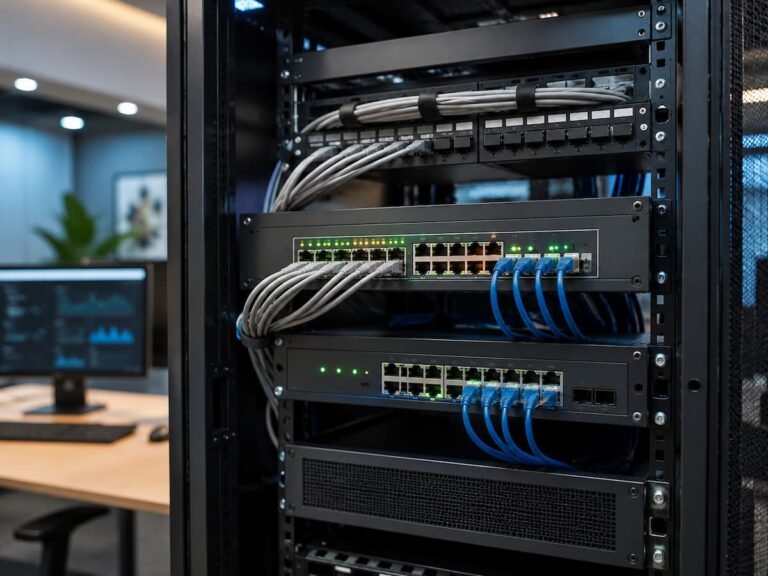
Businesses and advanced home users may also benefit from network segmentation, managed switches, and traffic monitoring systems. These solutions help organize traffic and prevent one activity from affecting everything else.
Conclusion
Network congestion is one of the most common misconceptions about slow and unstable networks. Many people focus exclusively on connection speed, but actual performance depends on a combination of factors. Slow network speeds can be caused by too many devices, a poor wireless network environment, outdated hardware, excessive background traffic, or congestion on the network outside your home. Understanding the bottleneck is crucial to effectively resolving the issue.
The best approach is to observe network patterns, measure performance, identify the actual bottleneck, and then implement the appropriate solutions. Small improvements—such as managing devices, optimizing router placement, and prioritizing critical traffic—can lead to significant gains. A better understanding of network congestion helps you make informed decisions and avoid unnecessary upgrades. Instead of blindly chasing higher speeds, it is better to focus on building a balanced and efficient network that meets your actual needs.
FAQs
1. Can high-speed networks still experience congestion?
Yes. High-speed network connections can still experience congestion. Speed refers to the available capacity, and congestion occurs when too many devices or users compete for that capacity. The problem can arise within your home network, at your internet service provider, or somewhere along the route to the destination server.
2. How can I tell if network congestion is causing my slow internet connection?
Search for patterns. If your internet speed drops during peak hours, improves when fewer devices are connected, or fluctuates based on activity, the problem could be due to network congestion. Testing different devices and comparing wired and wireless connections can also provide useful clues.
3. Can restarting the router resolve network congestion issues?
Restarting the router can resolve some temporary problems, such as software glitches or process overloads. However, it cannot provide a permanent solution for congestion caused by too many devices, limited bandwidth, or poor network design. If congestion occurs frequently, identifying the root cause is a better long-term solution.
4. What is the difference between Wi-Fi congestion and internet congestion?
Yes. Wi-Fi congestion refers to wireless devices competing for a limited wireless channel. Internet congestion refers to an overload of network traffic, causing partial network saturation. Both cause similar symptoms, but the solutions are very different.
5. Can a new router fix network congestion?
Replacing your router with a new one can help if your older device lacks sufficient processing power or modern wireless capabilities. However, it won’t solve every congestion issue. If your internet service provider or too many bandwidth-heavy devices cause the problem, upgrading your router might not be enough.