Storage Architecture Decisions That Improve Long-Term Reliability
Storage systems are often built to meet short-term needs. Companies may prioritize capacity, performance, or initial costs. However, current storage choices can impact reliability, scalability, and operational issues for years to come. A storage infrastructure that performs well in the first year can become unmanageable as data volumes grow, application demands increase, and business needs evolve. Poor architecture degrades performance, increases maintenance complexity, and leads to unexpected downtime.
Long-term storage reliability does not depend on expensive hardware or new technologies, but rather on a balance of architecture, redundancy, scalability, data protection, and management. This article explores storage design choices that can help companies build reliable systems and adapt to changing needs. Understanding these concepts helps you avoid pitfalls and develop storage systems capable of supporting future expansion—whether for small businesses, large enterprise data centers, or emerging cloud architectures.
Why Storage Architecture Matters Over Time
The storage architecture determines data storage, access, protection, and management. This encompasses choices regarding storage media, hardware, networking, redundancy, and management systems. Storage issues can manifest gradually. Years later—when data volumes reach hundreds of terabytes, or when more users and applications rely on the system—it may become overwhelmed.
For instance, selecting a storage system based solely on capacity can lead to issues later on. Companies often overlook the data growth driven by new applications, analytics platforms, backups, and digital services. A reliable architecture addresses both current and future needs. It highlights the importance of asking critical questions prior to implementation:
- How fast is the data growing?
- Which applications require rapid access?
- What is the acceptable duration of downtime?
- In the event of a failure: How is the data protected?
- Is the system easily scalable?
Because a sound architecture anticipates change, it minimizes disruptions. Companies can improve and scale systems more efficiently without having to rebuild the infrastructure every few years.
Expert tip: An optimal storage design not only resolves current issues but also maintains high performance as environments grow larger and more complex.
Building a Strong Storage Foundation
A reliable storage environment begins with a strong foundation. This foundation includes selecting the right storage architecture, understanding data requirements, and avoiding decisions based only on short-term savings. Different storage architectures serve different purposes. Block storage, file storage, and object storage each have their strengths. Choosing the wrong type can create unnecessary limitations later.
| Storage Type | Best Used For | Main Strength |
|---|---|---|
| Block Storage | Databases, virtual machines, enterprise applications | High performance and low latency |
| File Storage | Shared documents and user files | Simple file access and collaboration |
| Object Storage | Large-scale data, backups, media files | Scalability and flexible management |
A common mistake is selecting storage based only on capacity numbers. Two systems may provide the same storage space, but their reliability, performance, and expansion options can differ significantly. A strong foundation also requires considering hardware quality, networking design, storage controllers, and software features. Every component contributes to the overall reliability of the system. For example, a high-performance storage system connected through an outdated network may not deliver expected results. Similarly, a large storage platform without proper redundancy can become a major risk if a critical component fails.
Designing Storage Around Real Workloads
One of the most important storage architecture decisions is understanding the workload before selecting technology. Storage should be designed around how data is used, not just how much data exists. Different applications have different requirements. A database handling financial transactions may need extremely fast response times and consistent performance. A backup system may prioritize capacity and cost efficiency. A media archive may require large-scale storage with less frequent access. Using the same storage design for every workload can create inefficiencies. A system optimised for one purpose may perform poorly when used for another.
Understanding Data Behavior
Before designing storage, administrators should examine several characteristics of data:
- How frequently data is accessed
- How quickly applications need responses
- Whether data changes often or remains static
- How important availability is
- How much growth is expected
For example, frequently accessed business applications may benefit from faster storage technologies such as solid-state drives, while long-term archives may work better with high-capacity storage solutions. A reliable architecture matches resources with requirements. Not every piece of data needs the fastest or most expensive storage. Smart design places important workloads where they receive the performance and protection they actually need.
The Role of Redundancy in Storage Reliability
Hardware failures are unavoidable. Drives fail, controllers experience problems, power components stop working, and network connections can become unavailable. Reliable storage architecture assumes failures will happen and prepares for them. Redundancy means having additional components or copies of important resources so that one failure does not bring down the entire system. Common examples include redundant drives, multiple storage controllers, backup power systems, and duplicate network connections.
| Redundancy Method | Purpose |
|---|---|
| RAID Protection | Protects against certain disk failures by storing data across multiple drives |
| Multiple Controllers | Prevents a single controller failure from stopping storage access |
| Network Redundancy | Maintains connectivity if one connection fails |
| Backup Systems | Provides recovery when primary storage is damaged or unavailable |
However, redundancy should be planned carefully. Having duplicate hardware does not automatically create complete protection. For example, RAID can protect against drive failure, but it cannot protect against accidental deletion, malware, or a major system failure.
Warning: Redundancy improves availability, but it should always work together with proper backup and recovery planning.
Planning for Future Storage Growth
One of the biggest differences between short-term storage planning and long-term architecture is the ability to grow without major disruption. Data rarely stays at the same level for long. New applications, larger files, analytics workloads, backups, and digital services continuously increase storage requirements. A storage system that cannot expand easily may force organisations into expensive migrations or complete infrastructure replacements. This creates unnecessary downtime, operational complexity, and additional costs.
Scalability should be considered during the initial design stage. Instead of asking only, “How much storage do we need today?” organizations should also ask, “How will this environment look in three or five years?” A scalable architecture allows additional capacity, performance improvements, and new technologies to be introduced without redesigning the entire environment.
Important Scalability Considerations
- Ability to add storage capacity without service interruption
- Support for increasing numbers of users and applications
- Flexible networking options for future expansion
- Compatibility with newer storage technologies
- Simple upgrade paths for hardware and software
For example, a business that expects rapid growth may benefit from modular storage systems where additional shelves, drives, or resources can be added gradually. This avoids purchasing excessive capacity upfront while still supporting future expansion. Scalability is not only about adding more storage. A poorly planned system may have enough capacity but still fail because controllers, networks, or management tools cannot handle increased demand.
Expert Tip: Plan storage growth based on business expansion, application requirements, and expected data patterns instead of only current usage numbers.
Balancing Performance and Reliability
Performance is an important part of storage architecture, but maximum speed should not always be the main goal. A reliable storage system must provide consistent performance while protecting important data. Many organizations make the mistake of focusing only on fast hardware. They may select high-speed drives but overlook network limitations, workload patterns, or failure protection. The result can be an expensive system that does not provide the expected benefits.
Good storage architecture balances several factors:
| Factor | Why It Matters |
|---|---|
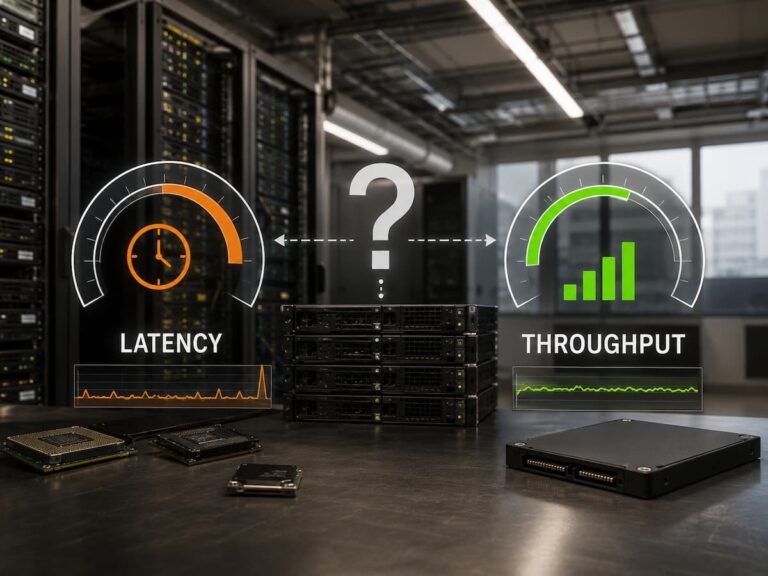
| Latency | Determines how quickly storage responds to requests |
| Throughput | Measures how much data can move over time |
| Reliability | Ensures applications remain available during failures |
| Consistency | Keeps performance predictable during busy periods |
For example, a database system may require extremely low latency because users interact with it continuously. On the other hand, a backup archive may prioritize capacity and reliability over immediate access speed. Storage tiering is one approach used to balance these requirements. Frequently accessed data can be stored on faster media, while less active information can move to more cost-effective storage.
Why Consistent Performance Matters
A system that performs well during normal conditions but slows dramatically during heavy workloads can create serious business problems. Applications may become unreliable, users may experience delays, and administrators may spend more time troubleshooting. Long-term reliability depends on predictable performance, not only peak performance numbers.
Simplifying Storage Management
Storage reliability is influenced not only by hardware but also by how easy the system is to manage. Complex environments increase the chance of configuration mistakes, monitoring failures, and delayed troubleshooting.
As organizations grow, storage environments often become a mixture of different platforms, technologies, and generations of hardware. Without proper planning, this complexity can make everyday management difficult. A well-designed architecture focuses on simplicity. This does not mean using fewer features. It means creating systems that administrators can understand, monitor, and maintain effectively.
Important Management Features
- Centralized monitoring and reporting
- Clear performance visibility
- Automated alerts for potential issues
- Simple configuration processes
- Reliable update and maintenance procedures
Automation can also improve reliability by reducing manual tasks. Automated capacity alerts, health checks, and performance monitoring help administrators identify problems before they become serious failures. Documentation is another overlooked part of storage management. A well-documented environment makes it easier for teams to understand configurations, perform maintenance, and recover quickly during emergencies.
Data Protection as an Architectural Decision
Storage reliability is not only about keeping systems online. It is also about ensuring that data can be recovered when something goes wrong. Hardware failures, software errors, cyber incidents, accidental deletion, and natural disasters can all affect stored information. A strong storage architecture includes protection strategies from the beginning rather than adding them later. Backup and disaster recovery planning should be connected to storage design. The right approach depends on how important the data is and how quickly it must be restored.
| Protection Strategy | Main Purpose |
|---|---|
| Regular Backups | Creates recoverable copies of important data |
| Snapshots | Allows quick recovery of recent changes |
| Replication | Keeps copies of data in another location |
| Disaster Recovery Planning | Defines how systems are restored after major failures |
One common mistake is confusing availability with protection. A highly available storage system may continue running after hardware failure, but it may not help if files are accidentally deleted or encrypted by malicious software. A reliable architecture combines redundancy, backups, monitoring, and recovery procedures to protect against different types of problems.
Common Storage Architecture Mistakes
Many storage challenges are created by decisions made in the planning stage. Avoiding a few frequent blunders will help a great deal with long-term reliability.
- Designing Only for Current Needs: A storage system designed only around today’s requirements may become difficult to expand later. Data growth should always be considered during architecture planning.
- Ignoring Workload Differences: Not all applications need the same storage performance or protection level. Treating every workload equally can increase costs and reduce efficiency.
- Focusing Only on Capacity: Storage capacity is important, but reliability also depends on performance, redundancy, management, and recovery capabilities.
- Skipping Regular Reviews: Storage environments change over time. New applications, users, and security requirements may require architectural adjustments.
Regular assessments allow organizations to spot problems before they influence operations.
Preparing Storage Infrastructure for a New Future
The storage future will be driven by growing data volumes, cloud usage, artificial intelligence, and changing business needs. These developments require storage architecture to become more versatile and responsive. Today’s storage infrastructures are trending toward higher automation, software-defined management, intelligent monitoring, and hybrid infrastructure models. These ideas enable businesses to use resources more efficiently and respond more quickly to changing needs.
Yet technology alone is not sufficient to assure reliability. The most crucial factor is careful architecture planning. Workload understanding, growth planning, data protection, and management are all actions that create long-term value. It’s about making smart choices before the problems happen and building a solid storage environment. Organizations that spend time on architecture planning are better equipped to handle growth, failures, and future technology developments.
Conclusion
Long term storage is reliable, not by quick hardware changes but by thoughtful judgments on architecture. The ideal storage settings are built with future expansion, workload needs, data protection, and operational simplicity in mind.
Good infrastructure is a mixture of choosing the correct kind of storage, planning for growth, balancing performance and reliability, and staying current with protection. These decisions allow organizations to avoid unnecessary complexity and build systems that continue to serve their objectives as technology and data needs change. A sound storage architecture is a stable investment. With careful planning now, organizations can construct storage environments that will be efficient, manageable, and durable for years to come.
FAQs
1. What is the most critical storage architectural decision?
The most crucial option is to design storage around real business requirements, not to choose technology based solely on specs. Having an understanding of your workloads, expected growth, availability needs and recovery requirements gives you a better foundation. A real matching system will usually give better dependability and efficiency than one chosen just because it has higher performance or larger capacity figures.
2. How does storage architecture impact reliability?
The architecture of storage influences reliability in terms of data protection, failure handling, and ease of system maintenance. Decisions about redundancy, backups, scalability, and management tools all have a direct impact on application availability and the capacity to recover data when things go wrong.
3. Is quicker storage always a good thing?
Faster storage is not always the correct choice. Different workloads need different performance levels. Some applications need very low latency, others vast capacity and stable long-term storage. The optimum architecture is one of speed, cost, scalability, and protection—not just maximal performance.
4. What is the importance of scalability in storage design?
Storage systems can expand as data needs grow (scalability). Without scalability, businesses can end up with costly migrations, downtime or even entire replacements of infrastructure. A scalable architecture is flexible in that it can add capacity and improve performance without severe disturbance.
5. When should you review storage architecture?
Storage design should be examined on a periodic basis, particularly when there are big changes like expansion in the business, new applications, increasing data generation, or security needs. Regular assessments help discover capacity difficulties, performance constraints, and chances for improvement before they become severe problems.
References
- Storage Networking Industry Association (SNIA) – Storage education and architecture resources
- National Institute of Standards and Technology (NIST) – Information technology and cybersecurity guidance
- IBM Documentation – Enterprise storage concepts and infrastructure guidance
- Red Hat Documentation – Storage management and infrastructure concepts
- VMware Documentation – Virtual storage and infrastructure management resources