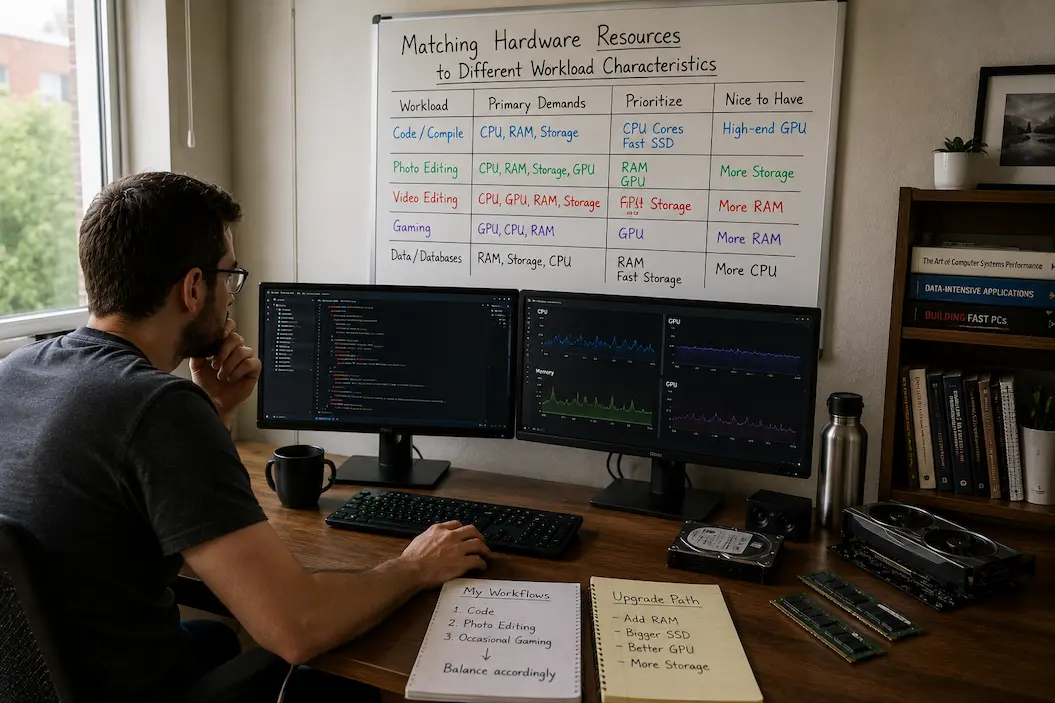
Matching Hardware Resources to Different Workload Characteristics
Imagine two people wanting to buy a new computer with the same budget. One is a software developer who spends a lot of time building large projects; the other is a nature photographer who needs to edit high-resolution photos. They choose the same configuration because it scores highly in all the reviews. A few months later, one is satisfied with the computer, while the other is already considering an upgrade. Both computers run smoothly, but one is clearly better suited to the user’s specific needs.
This is because computers handle different workloads in different ways. Some applications require constant data transfer within memory; others rely almost entirely on processing power; and some professional tasks offload the bulk of the work to the graphics processor. Hardware resources are rarely distributed evenly, so choosing components based purely on performance often results in a system that looks powerful on paper but is poorly balanced in practice.
Understanding how different workloads utilize hardware resources shifts the focus from “Which component is the fastest?” to “Which components should be prioritized for this type of work?” This leads to smarter upgrades, more cost-effective investments, and systems that continue to deliver value long after the novelty has worn off.
Different Workloads Place Demands on Different Areas of the System
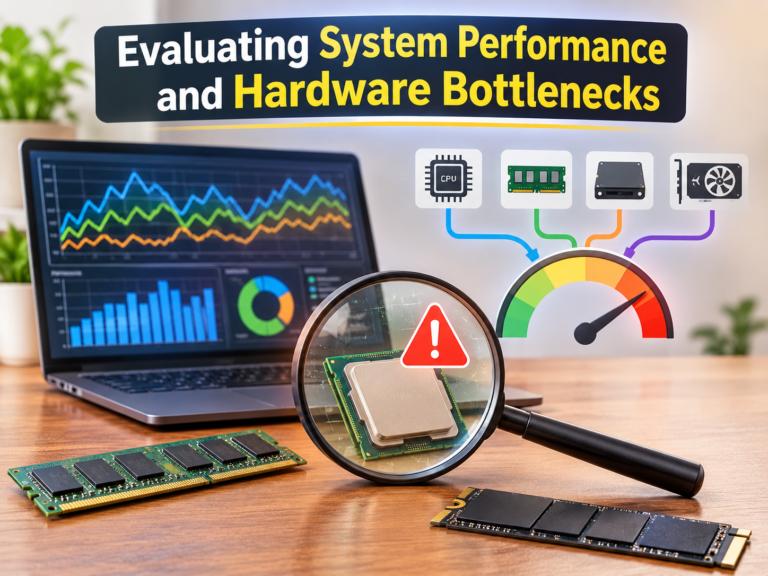
Instead of focusing on a single performance metric, it is better to view a computer as a set of specific resources working in tandem. In some tasks, the processor might be the busiest component; in others, memory bandwidth could be the bottleneck; and some tasks involve significant waiting times for storage operations, even while processor usage remains surprisingly low.
That is why benchmark results do not always reflect the day-to-day user experience. Two applications might both show high processor usage, yet rely on completely different secondary resources. One application constantly reads and writes data to and from storage devices, while the other continuously performs calculations on information previously stored in memory. Their CPU usage may be similar, but the factors influencing overall performance are entirely different.
Successful hardware matching therefore begins with understanding workload behavior, rather than simply focusing on hardware specifications.
A Quick Comparison
| Workload Type | Resource Usually Under Greatest Pressure | Typical Benefit From Upgrades |
|---|---|---|
| Software compilation | Processor, storage, memory | More CPU cores, faster storage, sufficient RAM |
| Video editing | Processor, GPU, storage | Faster GPU, additional memory, high-speed SSDs |
| Scientific simulations | Processor and memory subsystem | Higher sustained CPU performance, larger memory capacity |
| Modern gaming | GPU, processor (varies by title) | Balanced CPU/GPU pairing rather than one extreme component |
| Large databases | Memory and storage | Higher memory capacity, reliable storage performance |
The table illustrates a simple but important principle: identical hardware priorities rarely make sense across every workload.
The Cost of Building an Unbalanced System
It is easy to assume that investing heavily in the most expensive processor or graphics card guarantees better overall performance. In practice, computers behave much more like teams than collections of independent parts. An exceptionally powerful component is less valuable when the surrounding hardware cannot keep up.
Consider a workstation equipped with a flagship processor but only enough memory to force frequent data transfers between RAM and storage. The processor spends part of its time waiting rather than computing. Likewise, pairing a powerful graphics card with an entry-level processor can leave the GPU idle while it waits for instructions to arrive.
This imbalance often explains why some expensive systems deliver only modest improvements over more carefully planned configurations. The limiting factor is not necessarily weak hardware; it is the mismatch between available resources and the demands of the workload.
Engineering Insight
During hardware planning discussions, it’s common to see buyers concentrate almost entirely on the processor because it’s the easiest specification to compare. In many of the workstation upgrades I’ve evaluated, however, increasing memory capacity or replacing an aging storage device produced a more noticeable improvement than moving to the next processor tier. The biggest gains often came from removing the actual bottleneck rather than upgrading the most visible component.
Different Workloads, Different Priorities
Understanding workload characteristics makes hardware recommendations far more practical because upgrades become targeted instead of generic.
For example, software development frequently benefits from processors capable of handling multiple parallel compilation tasks, but large projects also reward fast storage that reduces file access delays. By contrast, professional photography may place greater emphasis on memory capacity and storage responsiveness when managing extensive image libraries, while many editing operations benefit from GPU acceleration.
Gaming introduces another layer of complexity because resource usage changes dramatically between titles. Strategy games managing thousands of independent calculations may lean heavily on processor performance, whereas visually demanding games often rely more on graphics hardware. The “best” upgrade therefore depends not only on gaming itself but also on the types of games being played.
Rather than searching for universal hardware recommendations, experienced builders begin by identifying the workload that consumes the greatest amount of time. Once you understand that primary workload, you can establish component priorities much more easily.
Common Planning Mistakes
Some upgrade decisions repeatedly create disappointing results because they focus on specifications instead of workload requirements.
- Buying the fastest processor while overlooking limited memory capacity.
- Pairing premium graphics hardware with storage that cannot keep up with large projects.
- Assuming that every professional application benefits equally from additional processor cores can lead to performance issues.
- Prioritizing benchmark rankings instead of observing how everyday workloads actually use system resources.
None of these decisions produces a non-functional computer, but each can leave performance potential untapped because one part of the system consistently waits for another.
Resource Requirements and Workload Evolution
One aspect of hardware planning that is often overlooked is how workloads evolve. A computer initially used for document editing might later be used for photo management, virtualization, or video production. Software applications themselves are constantly evolving, with new features requiring more memory, CPU cores, or more powerful graphics acceleration than earlier versions.
This gradual shift explains why a system that once seemed perfectly balanced can begin to show limitations, even without any actual component failures. The hardware itself hasn’t slowed down; it is simply the workload that has changed.
Therefore, it is wise to build some flexibility into the design, especially for systems expected to last for many years. With a little foresight, you can extend the lifespan of your entire system without a massive upfront investment. For example, choose a motherboard with extra memory slots, consider storage expansion options, or select a power supply capable of handling future upgrades.
Look Beyond Individual Components
One of the biggest misconceptions when building a computer is selecting hardware components in isolation. In reality, a computer’s optimal performance stems from a balanced distribution of resources relative to the workload, rather than from individual hardware specifications. Resource bottlenecks vary from user to user; consequently, an upgrade that significantly improves the user experience for one person might offer little benefit to another.
Consider, for instance, a workstation used for architectural visualization. During the scene setup phase, memory capacity and processor performance may be the most critical factors in the workflow. However, once rendering begins, the graphics processor becomes the primary processing engine if GPU rendering is enabled. Subsequently, once the final product has been generated and archived, storage performance becomes more important than CPU or GPU performance for a certain period.
The “fastest computer” changes throughout the workflow. Effective hardware planning takes these shifting needs into account, rather than assuming that a single component can dictate performance from start to finish.
Build Around the Primary Workload, Not Every Possible One
A common temptation is trying to prepare a computer for every imaginable task. While this sounds sensible, it often leads to unnecessary spending without significantly improving the activities that matter most.
A more effective approach is identifying the workload that occupies the majority of the system’s operating time and optimizing around that first. Secondary tasks should certainly remain functional, but they rarely need to dictate every purchasing decision.
The following framework illustrates this way of thinking.
| Primary Use Case | Hardware Resources Worth Prioritizing | Resources That Usually Need Only Balance |
|---|---|---|
| Office productivity | Fast SSD, sufficient RAM, modern CPU | High-end GPU |
| Software development | Multi-core CPU, RAM, SSD | Premium gaming GPU |
| Content creation | CPU, GPU, RAM, fast storage | Extremely high core counts if software cannot use them |
| Gaming | Balanced CPU and GPU, fast storage | Excessive memory beyond application needs |
| Virtualization | CPU cores, RAM capacity, storage performance | Enthusiast-grade graphics in many cases |
The table isn’t intended to prescribe exact hardware combinations. Instead, it demonstrates that resource priorities shift with the workload, making balanced planning more valuable than simply purchasing the highest specification in every category.
Common Misconception
A more expensive component does not automatically improve every workload. Performance increases only when the upgraded hardware addresses the resource that is actually limiting the task.
Monitoring Involves More Than Just Looking at Specifications
Specifications reflect your hardware’s optimal performance, whereas monitoring software shows how your device actually performs during daily use. By observing resource usage over an extended period, you often discover unexpected patterns.
For instance, in a long-term project, CPU usage of just 30% does not necessarily indicate poor performance. It could simply be that the processor is waiting for data from storage or memory. Similarly, the fact that a graphics card isn’t operating at full capacity doesn’t always mean the GPU is overkill; the current workload might simply be more CPU-intensive than graphics-intensive.
That is why experienced professionals typically conduct a thorough system analysis before deciding to upgrade. Instead of guessing the cause of a bottleneck, they track changes in CPU usage, memory consumption, storage activity, temperature, and graphics demands during actual projects. These measurements often reveal areas for improvement that differ from what benchmark results might suggest.
During workstation evaluations, I have seen people replace powerful processors because rendering tasks weren’t fast enough. By observing these systems, I discovered that the processor was often bogged down due to insufficient memory, forcing constant data writes to storage. Ultimately, expanding the memory solved the problem without requiring a CPU replacement. This illustrates that observing the workload is often more valuable than making assumptions.
Fine-Tuning Resources is an Ongoing Process
Because workloads are constantly changing, there are rarely “perfect” hardware configurations that remain static. New software versions introduce new features, projects grow in scale, operating systems are updated, and user expectations rise. A well-balanced system from three years ago might now require more memory, faster storage, or a newer graphics processor—not because the original design was flawed, but because the workload has changed.
Understanding this allows for greater flexibility in hardware planning. It is more realistic to build a system that evolves with changing needs than to chase the highest current benchmark scores. Well-considered upgrade plans are often more valuable in the long run than striving for the ultimate configuration right from the start.
Ultimately, it is not about the “best” processor, graphics card, or storage, but about understanding how all these components work together to meet your needs. Hardware choices based on actual workloads (rather than marketing claims or benchmark results) often result in a system that remains efficient and stable, and provides a smooth user experience for longer.
FAQs
1. Is a balanced system better than one with a single powerful component?
In most cases, a balanced system is better. The lower the latency between components, the more efficiently hardware resources are utilized. An expensive processor paired with insufficient memory or slow storage devices typically does not yield significant performance gains compared to a balanced system.
2. How do I determine which hardware resource is limiting my workload?
The best approach is to monitor your system’s performance during your daily tasks. Resource monitoring tools can show whether CPU usage, memory consumption, storage activity, or graphics load are hitting their limits, helping you identify the components that would benefit most from an upgrade.
3. Do upgrade plans influence current hardware purchases?
Generally yes, but within reasonable limits. By choosing hardware that allows for memory upgrades, increased storage capacity, or easy component replacement, you extend your system’s lifespan without unnecessary upfront investment.
4. Do benchmarks always outperform real-world workloads?
Not necessarily. Benchmarks are used to measure performance under controlled conditions. Real-world workloads place varying demands on hardware, so the system best suited to your workload may not be the one that scores highest in benchmarks.
5. Will workload characteristics change significantly enough in the future to require different upgrades?
Absolutely. As software evolves and project requirements grow, performance bottlenecks may shift. Regularly re-evaluating system usage ensures that future improvements focus on the components that deliver the greatest practical benefits.