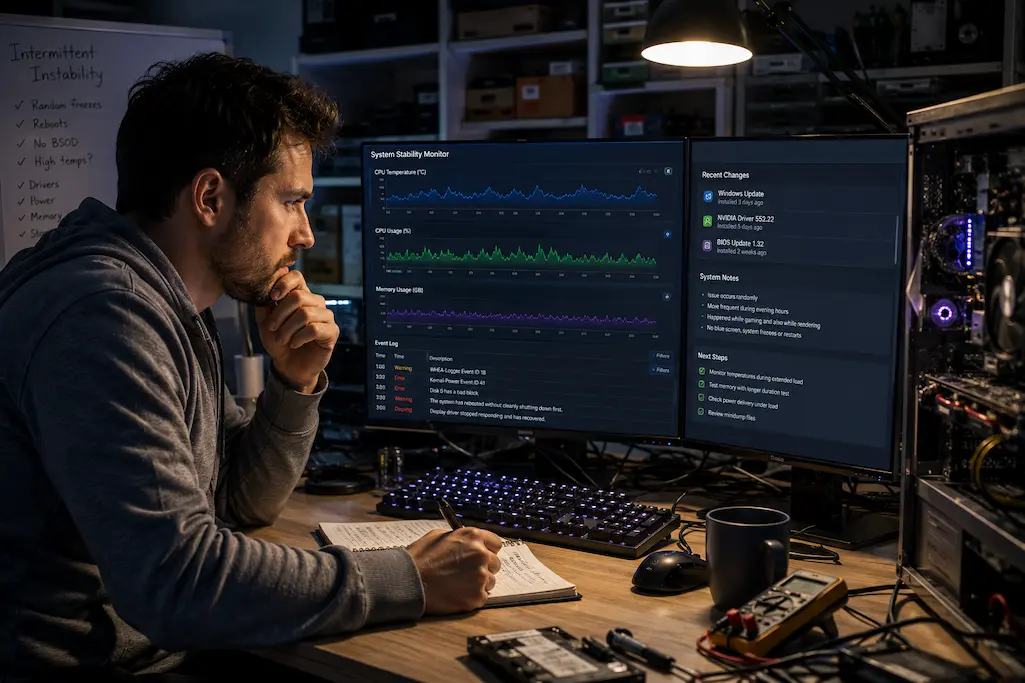
Diagnosing Intermittent System Instability Beyond Hardware Defects
Computer instability is one of the most frustrating issues to deal with. A workstation might run flawlessly for days, handling heavy rendering tasks with ease, only to crash suddenly and without warning. Even a gaming PC that passes every stress test might reboot just once every few weeks. In other instances, the system is perfectly stable, yet the problem becomes difficult to reproduce once specific combinations of applications are running.
Consequently, the conclusion often seems obvious: a hardware component must be faulty. While other factors can also cause intermittent instability, a hardware failure is undoubtedly a potential culprit. Software interactions, firmware behavior, power fluctuations, temperature conditions, driver conflicts, and even environmental factors can all produce symptoms resembling hardware failure. Replacing parts prematurely can therefore lead to a longer, more expensive, and less successful troubleshooting process.
The challenge lies not only in locating the fault but also in understanding why the system becomes unstable only under specific conditions. Computers are dynamic systems, and their operating environments are constantly changing. These changing conditions often provide more diagnostic insight than simply hunting for the defective component.
The Unique Nature of Intermittent Issues
A machine that crashes every time it performs a specific task is usually easier to diagnose than one that crashes randomly. Recurring failures allow the fault to repeat itself, enabling technicians to monitor the system, test individual components, and verify that proposed solutions actually resolve the issue.
Intermittent instability is more troublesome. A system might run for hours or even days before it starts to falter. By the time the malfunction actually occurs, the conditions that triggered it may no longer exist. Restarting a computer usually preserves no crucial clues—only the memory that “something happened.”
This uncertainty is why intermittent faults are among the most time-consuming issues to analyze. The goal is not merely to pinpoint the error, but to identify the combination of factors that led to it.
Resist the Temptation to Blame the First Suspicious Component
When a system becomes unstable, users often instinctively look for the most likely culprit. If a graphics-intensive program crashes, the graphics card is likely the first thing that comes to mind. If the system freezes while compiling an application, the processor is singled out as the suspect. These assumptions are understandable but often incomplete, as multiple components interact during periods of high load.
Pushing a graphics card to its limits increases power consumption and case temperatures, and affects the processor’s scheduling behavior. Prolonged high-load processor activity also places increased strain on memory, motherboard voltage regulation, and cooling systems. Just because a problem manifests in a specific area does not necessarily mean the root cause lies there.
That is why experienced troubleshooters do not simply replace parts based on coincidence. Instead, they ask: what happened before the system instability occurred? Sometimes it involves hardware activity, but just as often, it involves software updates, environmental conditions, firmware settings, or workload changes that happen to coincide with the first observable symptom.
Editorial Observation
One pattern I’ve noticed during troubleshooting is how often the “obvious culprit” turns out to be innocent. A workstation that repeatedly crashed during GPU rendering initially suggested a graphics card problem. After several hours of testing, the actual cause proved to be an aggressive memory profile that became unstable only when prolonged GPU workloads increased overall system temperature. The graphics card merely exposed the underlying weakness—it wasn’t the source of it.
Looking for Patterns Instead of Isolated Events
Successful diagnosis depends less on collecting individual symptoms and more on recognizing relationships between them. A single crash provides limited information. Several crashes occurring under similar conditions begin to reveal patterns that are far more useful.
Questions such as these often move an investigation forward:
- Does the problem occur only after the system has been running for a long time?
- Is instability limited to one application or present across different workloads?
- Does it appear more frequently during warm weather or after extended high-load sessions?
- Has any hardware, firmware, or software changed recently?
- Can the issue be reproduced using the same sequence of actions?
Each answer narrows the number of plausible causes without requiring immediate hardware replacement. Even negative results—situations where the problem does not occur—are valuable because they eliminate possibilities that initially seemed convincing.
When Timing Becomes a Diagnostic Tool
The moment at which instability appears can be just as informative as the symptom itself.
A failure that happens right after startup points to a different type of problem than one that happens after two hours of continuous processing. Likewise, issues triggered during idle operation often point investigators toward different areas than those observed exclusively under sustained workloads.
Rather than viewing time as an inconvenience, experienced technicians often treat it as another diagnostic variable. Understanding when instability develops can reveal relationships that are invisible when focusing only on the failure itself.
Hardware Is Only One Part of the Investigation
Although hardware defects remain an important possibility, modern computers rely on a complex interaction of firmware, operating systems, drivers, background services, storage devices, and peripheral hardware. Instability can emerge from subtle interactions between these layers even when every major component passes conventional diagnostics.
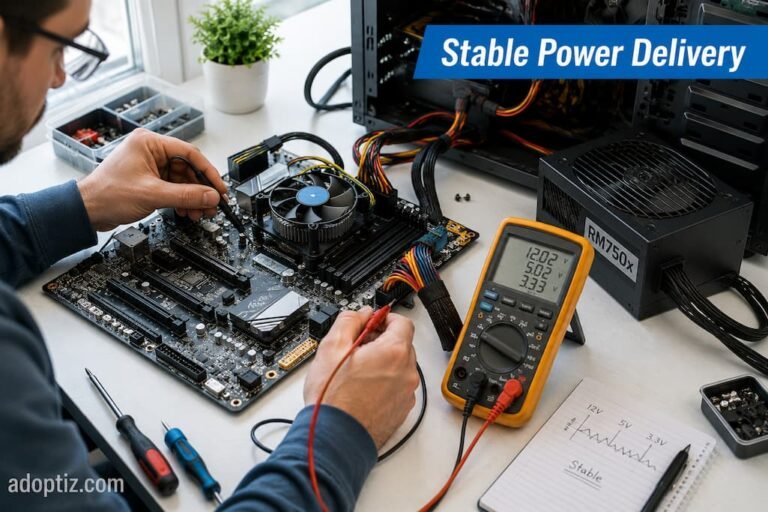
For example, outdated firmware may handle power management differently than a newer operating system expects. A recently installed driver could expose a software conflict that appears only during specific workloads. Background applications may compete for resources in ways that never occur during synthetic stress testing. Even external devices connected through USB or Thunderbolt can introduce behavior that resembles internal hardware faults.
This broader perspective explains why replacing components without understanding the surrounding environment often fails to resolve intermittent problems. Effective diagnosis considers the computer as an integrated system rather than as a collection of independent parts.
A Structured Investigation Usually Beats Random Testing
When symptoms appear unpredictable, random experimentation becomes tempting. One setting is changed today, another component is replaced tomorrow, and several drivers are updated the following week. If the instability disappears, it becomes difficult to know which action actually solved the problem—or whether the issue simply hasn’t reappeared yet.
A more disciplined approach is to change one significant variable at a time while carefully observing the results. Although this method may seem slower initially, it usually leads to more reliable conclusions because each observation has a clear context.
Eliminating Variables Instead of Chasing Symptoms
One reason intermittent instability becomes so difficult to solve is that several changes are often made before the original problem is fully understood. Drivers are updated, BIOS settings are adjusted, memory modules are reseated, background applications are removed, and operating system settings are modified—sometimes all within the same troubleshooting session.
If the instability disappears afterward, it is impossible to know which action actually resolved it.
A more reliable approach is to reduce the number of unknowns. By changing one meaningful variable at a time and allowing sufficient time for observation, each result becomes more valuable. Even when a change has no visible effect, it narrows the investigation by eliminating one possible explanation.
This disciplined process may appear slower than trying several fixes at once, but it often shortens the overall diagnosis because fewer assumptions have to be revisited later.
A Practical Investigation Workflow
Rather than jumping directly to hardware replacement, many experienced technicians follow a progression similar to this:
| Investigation Stage | Primary Objective |
|---|---|
| Document the symptoms | Identify exactly what happens and under which conditions. |
| Look for repeatable patterns | Determine whether the problem follows a consistent trigger. |
| Review recent system changes | Consider software, firmware, drivers, peripherals, and environmental changes. |
| Monitor system behavior | Observe temperatures, power usage, memory usage, storage activity, and event logs during normal operation. |
| Isolate one variable at a time | Change only one significant factor before testing again. |
| Verify the solution | Confirm stability over multiple workload cycles instead of relying on one successful session. |
This isn’t a rigid checklist, but it illustrates how evidence gradually replaces assumptions during a structured investigation.
Sometimes the Environment Is the Trigger
Computers do not operate in isolation. Ambient temperature, electrical quality, dust accumulation, workload scheduling, and even room ventilation influence how hardware behaves over long periods.
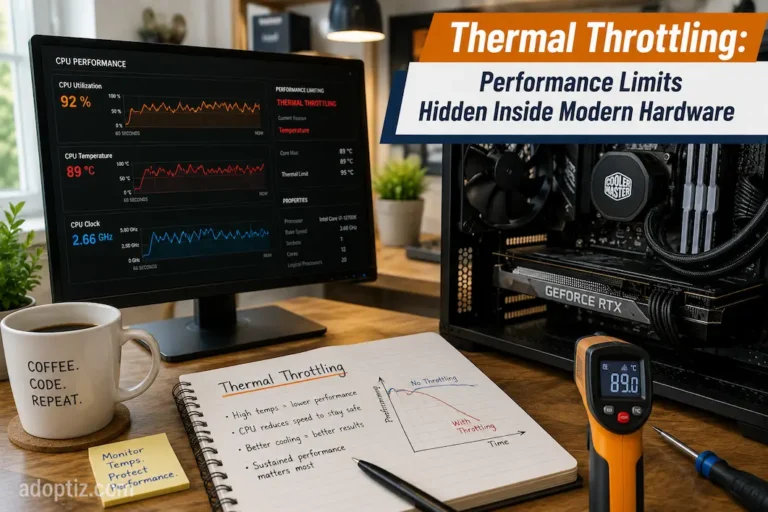
A workstation that remains perfectly stable during winter may begin exhibiting occasional instability during warmer months because cooling margins have become smaller. Likewise, an office computer that runs reliably throughout the day may encounter problems only when overnight backup software, antivirus scans, and automated maintenance tasks begin competing for resources simultaneously.
These examples highlight an important point: the trigger is not always the underlying cause. Environmental conditions often expose weaknesses that remain hidden under lighter workloads.
Recognizing those relationships prevents troubleshooting from becoming overly focused on individual components while overlooking the operating conditions surrounding them.
Common Misconception
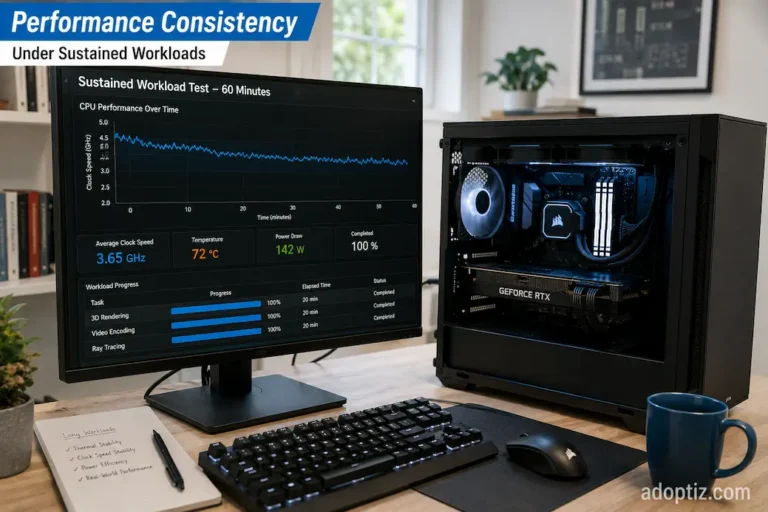
If a stress test passes once, the hardware is not automatically proven stable. Many intermittent problems appear only after specific combinations of workload, temperature, software activity, or operating time that a single synthetic benchmark may never reproduce.
Reliable Diagnosis Depends on Patience as Much as Technical Knowledge
Instability leads to frustration, so when it occurs intermittently, people often jump to conclusions too quickly. However, patience is usually one of the most important diagnostic tools.
After making any change, take the time to observe and record recurring symptoms. Avoid replacing multiple components at once; doing so often reveals patterns that would otherwise be overlooked. The key lies not only in restoring stability but also in understanding the root cause of the system instability.
Sometimes, when investigating complex workstation issues, I find that the ultimate solution is technically quite simple, yet finding the answer requires ruling out assumptions that seem reasonable but are actually incorrect. These systems are difficult to troubleshoot not because the defects themselves are complex, but because the initial clues pointed in the wrong direction.
That incident taught many experienced professionals an important lesson: successful troubleshooting is rarely about finding quick answers; rather, it is about gathering enough evidence to eventually identify the most logical solution.
Stability Is Usually the Result of Many Small Factors Working Together
Intermittent system instability can rarely be explained by a single, catch-all reason. Hardware failure is a possibility, but it is just one of many complex factors—including software interactions, firmware behavior, environmental variables, workload characteristics, thermal management, and the power supply.
A systematic approach to troubleshooting transforms problem-solving into a process of gathering evidence and eliminating errors, rather than relying on repeated trial and error. A better question is not “Which component is faulty?” but rather “Under what conditions would we encounter this problem?” This shift in perspective often leads to faster and more accurate diagnoses.
Modern computers are extremely reliable, yet they are also becoming increasingly complex. Skilled investigators understand this complexity and follow observable patterns rather than preconceived notions, allowing data—rather than an initial hunch—to pinpoint the root cause of the problem.
FAQs
1. Do intermittent issues often disappear before they can be diagnosed?
Many intermittent issues are linked to combinations of factors such as workload, temperature, software state, or timing. Restarting the system or altering operating conditions can temporarily eliminate the triggering factors, making the issue difficult to reproduce consistently.
2. Are software conflicts really the same as hardware faults?
Yes. Incompatibility issues with drivers, firmware problems, background processes, or even the way the operating system communicates with the hardware can sometimes cause system freezes, crashes, or restarts. These symptoms are difficult to distinguish from hardware faults. Therefore, you should consider both software and hardware when troubleshooting.
3. Should I replace the hardware if diagnostics show no issues?
No, immediate replacement is not necessary. If diagnostics indicate no problems but the system remains unstable, continue gathering data and analyze environmental factors, software updates, and workload-specific triggers. Replacing components without solid evidence can increase costs and may not resolve the actual problem.
4. Are intermittent issues usually a sign of a faulty component?
No. Some intermittent issues are caused by changes in operating conditions rather than a hardware fault. Even if the hardware is still functional, intermittent instability can occur due to factors such as temperature, unstable firmware settings, power quality, or specific interactions with applications.
5. What are the most common mistakes people make when diagnosing intermittent instability issues?
Changing too many settings at once. If multiple settings or components are modified simultaneously, it becomes difficult to determine which change caused the system fluctuation. Should the problem recur in the future, identifying the root cause becomes more challenging.