Technology Standards and Version Compatibility
In the sprawling, globally interconnected landscape of modern IT infrastructure, the ability for a smartphone manufactured in South Korea to seamlessly connect to a Wi-Fi router designed in California, and subsequently load a webpage hosted on a server in Germany, feels like magic. In reality, it is the result of decades of grueling, meticulous engineering driven by independent, global technology consortia. Without technology standards, the digital world would instantly fracture into isolated, proprietary silos where different brands of hardware fundamentally could not communicate.
Technology standards are the universally agreed-upon blueprints that govern how hardware interfaces, network protocols, and software architectures must operate. However, defining a standard is only the first hurdle. As computational demands accelerate, these standards must continuously evolve through sequential versions and generations. Managing version compatibility—specifically understanding how legacy systems interact with cutting-edge hardware—is one of the most complex challenges systems engineers face when designing and upgrading enterprise infrastructure.
The Role of Technology Standards in Global IT
Technology standards are not merely suggestions; they are rigorously documented, peer-reviewed engineering specifications managed by governing bodies such as the Institute of Electrical and Electronics Engineers (IEEE), the Internet Engineering Task Force (IETF), and the USB Implementers Forum (USB-IF).
Ensuring Interoperability Across Vendor Ecosystems
The primary objective of any standard is interoperability. In the early days of enterprise networking, vendors often utilized proprietary protocols. If a business purchased a core router from Vendor A, they were forced to purchase all their distribution switches and access points from Vendor A, because the equipment simply could not understand the routing languages used by Vendor B. This phenomenon, known as vendor lock-in, stifled innovation and artificially inflated infrastructure costs.
Today, thanks to open standards, a network engineer can deploy a Cisco core router, connect it to Juniper distribution switches, and terminate the network at Aruba wireless access points. Because all these devices strictly adhere to the IEEE 802.3 (Ethernet) standard at the physical layer and IETF standards like OSPF (Open Shortest Path First) or BGP (Border Gateway Protocol) at the routing layer, they can exchange data packets flawlessly. The standard defines the exact electrical voltages, packet header structures, and error-correction codes that every manufacturer must implement.
Certification Programs and Hardware Compliance
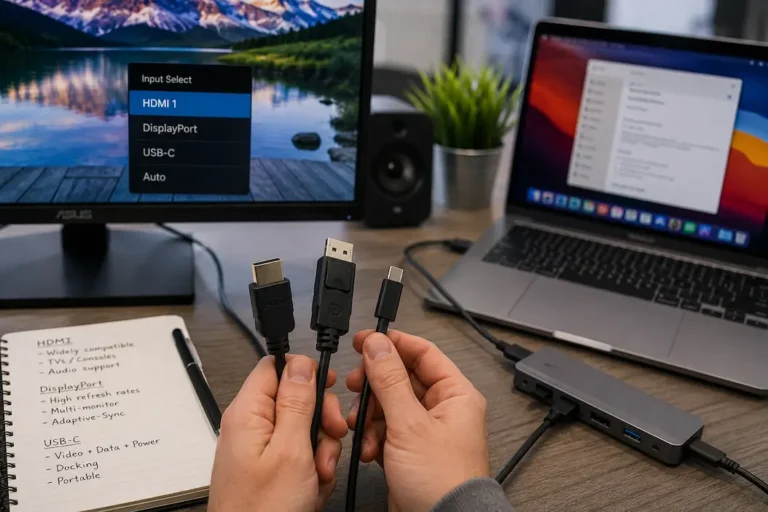
Adherence to a standard is enforced through rigorous hardware certification programs. A manufacturer cannot simply solder a Type-C connector onto a laptop and legally market it as “USB4” or “Thunderbolt 4.” The device must be submitted to certified testing laboratories where engineers subject it to extreme electrical and protocol stress tests.
They verify signal integrity, power delivery safety limits, and protocol compliance. Only after passing these tests is the manufacturer granted the right to use the official standard logo on their packaging. For enterprise IT procurement, purchasing certified hardware is non-negotiable; uncertified, “off-brand” equipment often implements standards incorrectly, leading to catastrophic network loops, data corruption, or even physical electrical fires in the server rack.
Versioning in Technical Standards
Technology cannot remain stagnant. As the demand for 4K video streaming, cloud computing, and massive data analytics grows, the bandwidth limits of older standards become severe bottlenecks. Standards bodies address this by releasing new iterations, or versions, of their specifications.
Major vs. Minor Revisions
Standard versioning typically follows a structure similar to semantic software versioning, differentiating between major architectural overhauls and minor feature updates.
-
Minor Revisions (e.g., USB 3.1 to USB 3.2): These updates generally optimize existing architectures. They might introduce more efficient data encoding, slight power management improvements, or updated security protocols. The underlying physical architecture largely remains the same.
-
Major Revisions (e.g., PCIe Gen 3 to PCIe Gen 4, or Wi-Fi 5 to Wi-Fi 6): These represent massive generational leaps. A major revision often involves changing the underlying signal modulation, altering the physical pin layouts (while sometimes retaining the same connector shape), or completely rewriting how devices negotiate bandwidth. For example, the jump from Wi-Fi 5 (802.11ac) to Wi-Fi 6 (802.11ax) fundamentally changed wireless networking by introducing OFDMA (Orthogonal Frequency-Division Multiple Access), allowing a single router transmission to talk to multiple client devices simultaneously, rather than sequentially.
Architectural Changes Beyond Faster Speeds
When a new version of a standard is released, consumer marketing usually focuses purely on the increased speed (e.g., “Now up to 40 Gbps!”). However, for systems engineers, the architectural changes are far more important than the raw throughput.
When Peripheral Component Interconnect Express (PCIe) transitioned from Gen 3 to Gen 4, the bandwidth per lane doubled from 1 GB/s to 2 GB/s. However, achieving this required motherboard manufacturers to completely redesign their printed circuit boards (PCBs). To maintain signal integrity at those extreme frequencies, traces had to be routed differently, thicker PCB layers were required, and more expensive substrate materials were implemented. Understanding these versioning shifts allows engineers to comprehend why next-generation hardware requires vastly different cooling, power delivery, and physical form factors.
The Challenges of Backward Compatibility
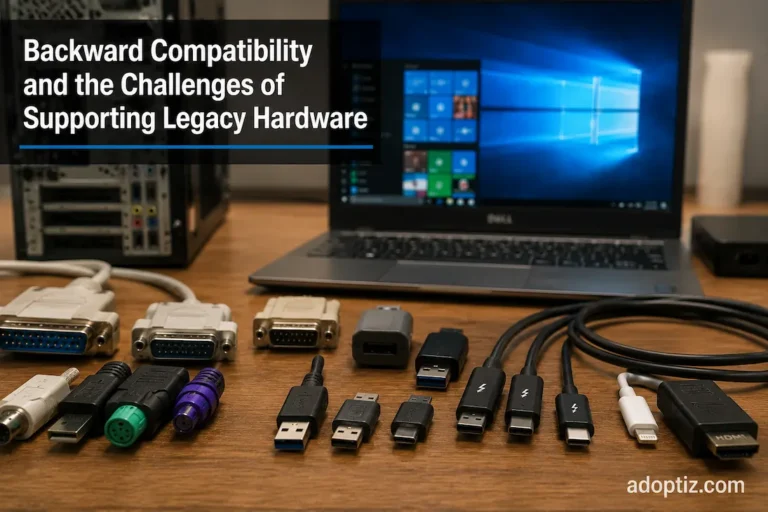
When standards bodies draft a new version, they face a brutal engineering dilemma: should they make a clean break for maximum performance, or should they mandate backward compatibility? In almost all mainstream IT standards, backward compatibility is required. A USB 3.0 flash drive must work when plugged into a 15-year-old USB 2.0 port, and a brand-new Wi-Fi 7 smartphone must be able to connect to a decade-old Wi-Fi 4 router at a coffee shop.
Auto-Negotiation and Handshaking
Backward compatibility is achieved through a process called auto-negotiation or handshaking. When two devices connect, they do not immediately start blasting data at maximum speed. Instead, they begin communicating using the oldest, slowest, most universally understood signaling method defined by the standard.
During this microscopic handshake (which takes milliseconds), the devices exchange their capabilities. The host device essentially asks, “I support version 4.0, what do you support?” If the client device responds with “I only support version 2.0,” the host device intentionally cripples its own capabilities, downgrading its signaling rate and disabling its advanced features to match the limitations of the older client.
The “Lowest Common Denominator” Bottleneck
While backward compatibility prevents electronic waste and ensures smooth consumer experiences, it introduces massive headaches in enterprise environments. This is known as the “lowest common denominator” effect.
Consider a wireless network. An enterprise might spend thousands of dollars upgrading their office to cutting-edge Wi-Fi 6E access points to provide gigabit wireless speeds. However, if an employee brings in an old laptop with a legacy 802.11n (Wi-Fi 4) network card, that old laptop forces the new access point to spend significant amounts of broadcast time transmitting data using slow, legacy modulation schemes. Because wireless is a shared medium, this single legacy device forces the router to work inefficiently, inadvertently degrading the network performance for all the new Wi-Fi 6 devices connected to the same radio.
To combat this, network administrators often enforce strict version compatibility policies, deliberately disabling legacy protocols (like turning off 802.11b/g/n support) on enterprise networks to force a pure, high-speed modern environment, effectively sacrificing compatibility for performance.
Future-Proofing Enterprise Infrastructure
Because technology standards upgrade on a predictable 3-to-5-year cycle, infrastructure planning requires careful lifecycle management. Purchasing hardware strictly based on current needs often results in rapid obsolescence.
When architects design a new data center, they run fiber optic cables that support standards far exceeding their current hardware capabilities. An organization might only be utilizing 10 Gigabit Ethernet (10GbE) switches today, but they will pull OS2 Single-Mode Fiber through the building walls because that same physical cable is certified to support 100GbE and 400GbE standards in the future. By over-provisioning the passive physical layer, the organization ensures that when the time comes to upgrade to a newer technology standard, they only need to swap out the switch hardware, saving hundreds of thousands of dollars in structural recabling costs.
Understanding the roadmap of technology standards—and knowing exactly how older versions will interact with new deployments—is the defining characteristic of a proactive, cost-efficient IT engineering strategy.
Frequently Asked Questions
1. What is the difference between a proprietary protocol and an open standard?
A proprietary protocol is owned, controlled, and kept secret by a single company (like Apple’s Lightning connector or Cisco’s EIGRP routing protocol). Only their devices can use it. An open standard is published publicly by a consortium (like USB-C or OSPF routing), allowing any manufacturer in the world to build compatible hardware and software without paying exorbitant licensing fees to a single entity.
2. Why does my new USB 3.2 drive transfer data slowly on my old computer?
Because of backward compatibility auto-negotiation. Your old computer only has USB 2.0 ports. When you plug the fast drive in, the motherboard and the drive communicate and agree to use the older, slower USB 2.0 standard (capped at 480 Mbps) to ensure the data is readable, ignoring the drive’s 10 Gbps potential.
3. If Wi-Fi is standardized by the IEEE, why do some routers perform better than others?
The IEEE 802.11 standard defines the minimum requirements for interoperability, modulation, and security. However, it leaves room for manufacturers to innovate on the physical hardware side. A premium router might have better internal antennas, a faster CPU to process packets, more RAM to handle thousands of concurrent connections, and superior thermal cooling to prevent throttling, all while strictly adhering to the same IEEE standard as a cheap router.
4. Can backward compatibility ever be removed from a standard?
Yes, though it is rare and highly disruptive. Standards bodies will eventually deprecate incredibly old technologies when the overhead of supporting them outweighs the benefits. For example, Intel and Microsoft are actively pushing to remove legacy BIOS support (CSM) and 16-bit legacy application support from modern UEFI and Windows standards to drastically improve system boot times and security architectures.
Authoritative Sources & References
-
IEEE Standards Association: 802.3 Ethernet and 802.11 Wireless Networking Specifications
-
USB Implementers Forum (USB-IF): USB Type-C and USB4 Architectural Specifications
-
Internet Engineering Task Force (IETF): RFC 1122 – Requirements for Internet Hosts and Communication Layers
-
PCI-SIG (Peripheral Component Interconnect Special Interest Group): PCIe Architecture and Backward Compatibility Guidelines