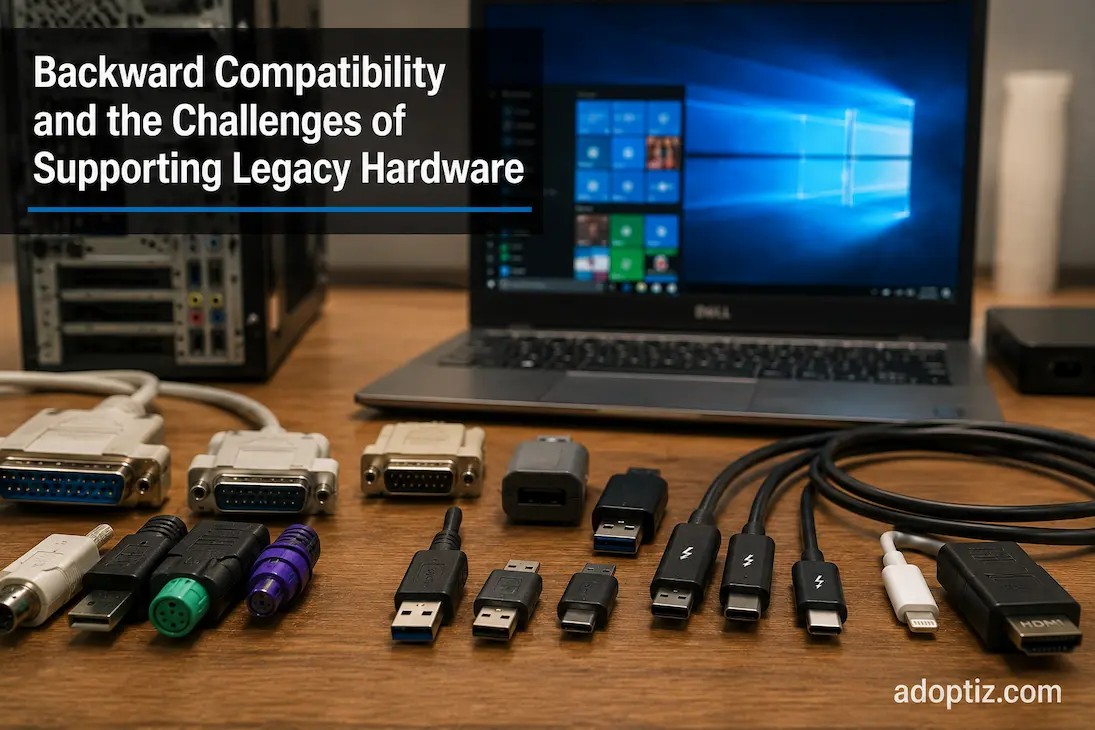
Backward Compatibility and the Challenges of Supporting Legacy Hardware
Computers manufactured today may still need to communicate with hardware built years ago. Companies might continue using specific equipment because purchasing new gear is too costly. Researchers may rely on older tools that still get the job done. Users might also want to connect older storage devices to newer systems. In all these cases, a crucial question arises: how do you ensure that new technologies work together with older ones?
Backward compatibility addresses this very issue.
At first glance, backward compatibility seems simple. Older devices work with newer systems, and everything appears to remain the same. However, maintaining compatibility across generations requires significant technical effort. Technology does not evolve in a vacuum. Over time, hardware changes, operating systems improve, security requirements increase, and performance standards rise. Every new feature has the potential to cause issues with older designs.
Supporting older hardware protects past investments while simultaneously driving technological progress. Engineers must determine which legacy features remain useful, which limitations are acceptable, and in which situations maintaining compatibility is not worth the effort.
In most cases, it is impossible to gauge the extent of the work involved in achieving backward compatibility. Users of older devices that integrate seamlessly with a new system rarely give a second thought to the technical design that made that compatibility possible. Yet, behind this seemingly simple interaction may lie years of design compromises, testing, software support, and meticulous planning.
Backward Compatibility Is More Than Making Old Hardware Connect
One of the most common misunderstandings about backward compatibility is that it only involves physical connections. If an older device can be plugged into a newer system, many users assume compatibility has been achieved.
In reality, physical connection is only the first requirement.
A modern system must also understand how to communicate with the older hardware. This involves multiple layers working together:
- Electrical compatibility between components.
- Communication protocols.
- Firmware support.
- Operating system drivers.
- Software recognition.
- Performance expectations.
A connector may physically fit while the device still fails to function because the newer system no longer supports the required communication method. Similarly, software may recognize older hardware but lack the features needed for reliable operation.
True backward compatibility requires preserving the relationship between hardware and software, not simply preserving the ability to attach one device to another.
Why Supporting Older Technology Becomes Increasingly Difficult
Technology changes because previous designs eventually become limited. Newer hardware improves performance, efficiency, security, and functionality, but these improvements often require changes that older systems were never designed to handle.
This creates a fundamental engineering challenge.
A new platform may introduce:
- Faster communication methods.
- Different power requirements.
- Updated security models.
- More efficient architectures.
- New operating assumptions.
However, older hardware may depend on previous standards, older software interfaces, or specific behaviors that newer systems would ideally replace.
Engineers must then determine how much older functionality should remain supported.
Keeping everything forever is rarely practical. Every additional legacy feature increases complexity, testing requirements, and maintenance effort. At the same time, removing support too quickly can create frustration for users and organizations that still depend on older equipment.
Backward compatibility is therefore not unlimited. It is a carefully managed compromise.
The Hidden Cost of Legacy Support
Supporting older hardware often creates challenges that users never see. A modern system may appear simple from the outside, but internally it may contain layers of compatibility designed to support previous generations.
For example, a modern operating system may include older drivers, software interfaces, and compatibility layers that allow applications or devices from previous generations to continue functioning.
These layers provide value, but they also introduce complexity.
More Code Means More Maintenance
Every additional compatibility feature requires ongoing support. Engineers must test whether old functionality continues working after new updates are introduced. A change designed to improve performance or security can unintentionally affect older devices that rely on previous behavior.
This creates a difficult development environment where engineers must consider both current requirements and historical dependencies.
A modern system is not only designed around what users need today. It often carries decisions made years or decades earlier.
Hardware Compatibility Can Limit Design Freedom
One of the biggest challenges of backward compatibility is that older requirements can influence newer designs.
When engineers create a completely new architecture, they have more freedom to optimize performance and efficiency. However, maintaining compatibility with previous systems may require preserving certain behaviors or limitations.
This does not mean compatibility is always harmful. In many cases, it provides enormous value. However, it creates trade-offs.
For example, a new platform may benefit from removing an older technology completely, but doing so could affect millions of existing devices or applications. Engineers must evaluate whether the improvement is worth the disruption.
This decision appears throughout computing history. Some technologies remain supported long after they are technically outdated because the cost of abandoning them is greater than the benefit of removal.
Software Is Often the Hardest Compatibility Problem
Hardware compatibility receives the most attention because physical components are easy to see. However, software is often where long-term compatibility becomes more complicated.
A piece of hardware depends on software instructions that tell the operating system how to communicate with it. If those instructions are missing or outdated, the hardware may become unusable even if the physical connection remains possible.
Software compatibility challenges include:
- Older drivers that no longer receive updates.
- Applications built around outdated system behavior.
- Security requirements that conflict with older designs.
- Operating systems removing support for previous technologies.
This is why an old device may continue functioning perfectly in one environment but fail after a major system update.
The hardware itself has not changed. The surrounding software ecosystem has.
Legacy Hardware Creates Security Challenges
One of the most difficult aspects of maintaining older technology is balancing compatibility with modern security requirements.
Older hardware and software were often designed in environments where security expectations were different. Features that were acceptable years ago may now represent vulnerabilities.
Organizations supporting legacy systems often face difficult decisions:
- Continue using older hardware because replacement is expensive.
- Upgrade systems and risk losing compatibility.
- Add security protections around older technology.
This challenge is especially significant in industries where specialized equipment has long operational lifecycles. Medical systems, industrial equipment, and research platforms may remain useful for many years, but their age can make integration with modern security practices more difficult.
Backward compatibility preserves functionality, but it does not automatically guarantee that older systems meet current security standards.
Compatibility Layers: The Technology That Connects Different Generations
Modern computing systems often rely on compatibility layers to allow older hardware and software to continue operating within newer environments. These layers act as translators between different generations of technology, allowing systems with different assumptions to communicate effectively.
A compatibility layer may exist in several forms:
- Software translation between older and newer instructions.
- Firmware support for previous hardware behaviors.
- Operating system features designed for legacy applications.
- Hardware controllers that maintain support for older communication methods.
These solutions allow innovation to continue without forcing immediate replacement of every existing system.
However, compatibility layers also introduce additional complexity. Every translation step requires resources, testing, and maintenance. In some cases, older functionality may operate with reduced performance because the system is adapting newer technology to support older requirements.
This creates an important engineering balance: compatibility layers extend hardware usefulness, but they also increase the complexity of the systems that support them.
The Performance Trade-Off of Supporting Older Hardware
Backward compatibility is often associated with convenience, but it can also influence performance. Supporting older hardware may require modern systems to include additional mechanisms that would not exist in a completely redesigned platform.
For example, maintaining support for older communication methods may prevent engineers from simplifying certain parts of an architecture. Similarly, software compatibility features may introduce additional processing requirements compared with software designed specifically for newer systems.
The impact varies depending on the technology involved.
In some cases, users experience almost no difference because modern hardware has enough resources to handle compatibility requirements. In other situations, supporting older standards can limit how aggressively a system can be optimized.
This is why technology companies often eventually retire older features. The decision is not always about removing something unnecessary; sometimes it is about allowing future designs to become more efficient.
The Difference Between Useful Compatibility and Permanent Dependence
Not all legacy support provides equal value. Some older technologies remain important because they solve real problems, while others continue only because removing them would inconvenience existing users.
A useful compatibility feature typically has:
- A large active user base.
- Practical benefits for current workflows.
- Reasonable maintenance requirements.
- A clear transition path.
However, compatibility becomes a challenge when a technology remains supported indefinitely without meaningful usage. At that point, the cost of maintaining it may outweigh the benefits.
This creates a difficult question for engineers and technology companies:
When should support for older technology end?
There is no universal answer. The decision depends on factors such as security risks, user impact, replacement costs, and whether newer solutions can provide equivalent functionality.
Real-World Examples of Compatibility Decisions
The importance of backward compatibility becomes clearer when looking at how it affects real systems.
A business upgrading thousands of computers cannot simply replace every accessory, application, and workflow overnight. Compatibility allows gradual migration, reducing disruption and controlling costs.
Similarly, professionals using specialized equipment may depend on older hardware because replacement systems may not provide identical functionality. In these cases, compatibility becomes more than a convenience—it becomes a practical requirement.
At the same time, consumer technology often moves faster. Smartphones, laptops, and personal devices frequently adopt newer designs because users expect improvements in size, efficiency, and features.
These different environments demonstrate that compatibility decisions depend heavily on the purpose of the technology.
A feature that is essential for an industrial system may be unnecessary for a consumer device.
How Engineers Balance Legacy Support With Future Development
Designing technology for multiple generations requires careful prioritization. Engineers cannot preserve every previous feature indefinitely, so they must identify which forms of compatibility provide the greatest long-term value.
A balanced approach usually involves:
- Supporting widely used standards for reasonable periods.
- Providing migration paths instead of sudden replacements.
- Separating legacy support from newer architecture where possible.
- Removing outdated features when they create significant limitations.
This approach allows technology to evolve while respecting existing investments.
The best compatibility strategies are not those that preserve everything forever. They are those that maintain useful connections between generations without preventing future innovation.
The Future of Legacy Hardware Support
As technology continues advancing, backward compatibility will likely become even more complex. Systems are becoming more interconnected, software dependencies are increasing, and security requirements are becoming stricter.
Future hardware platforms will need to balance several competing goals:
- Supporting existing ecosystems.
- Improving efficiency.
- Increasing security.
- Simplifying architecture.
- Reducing unnecessary complexity.
Artificial intelligence workloads, specialized accelerators, cloud-connected systems, and increasingly integrated devices will introduce new compatibility challenges.
The question will remain the same:
How can technology move forward without unnecessarily abandoning what already works?
The answer will continue to involve careful engineering decisions rather than simply adding unlimited support for everything that came before.
Why Backward Compatibility Remains Important
Backward compatibility remains one of the key principles of technology design, despite the potential challenges involved in achieving it. It protects investments, reduces technological waste, streamlines upgrade processes, and allows companies to transform at their pace.
Without compatibility, every major technological advancement would require replacing older systems. Innovation would slow down due to costs and inconvenience.
However, compatibility requires balance to be effective. It only makes sense if supporting older hardware does not hinder significant improvements in speed, security, and efficiency.
Technological ecosystems that either ignore the past or remain permanently dependent on it are not the most robust; the best ones find a controlled path between the past and the future.
Backward compatibility represents a compromise between maintaining the status quo and moving forward. It involves the technical work required to ensure that new technologies do not destroy everything built previously.
FAQs
Does backward compatibility hinder the generation of new ideas?
Not always. While it can sometimes increase design complexity, it also makes new technologies more user-friendly, as users do not have to update everything immediately. The challenge lies in finding the optimal balance between keeping the system operational and enabling future improvements.
Why do companies eventually stop supporting legacy systems?
Support may be discontinued if the legacy technology poses significant security risks, hinders architectural improvements, is too costly to maintain, or has an insufficient user base to justify further development.
Are older devices always incompatible with new systems?
Not necessarily. As long as compatibility is maintained, older hardware can still function reliably. The problem often lies not with the hardware itself, but with its compatibility with current software, security standards, and system architecture.
Can compatibility issues arise even with identical ports?
Yes. Matching connectors only guarantee physical compatibility. For full functionality, communication protocols, software support, power requirements, and device capabilities must all align.