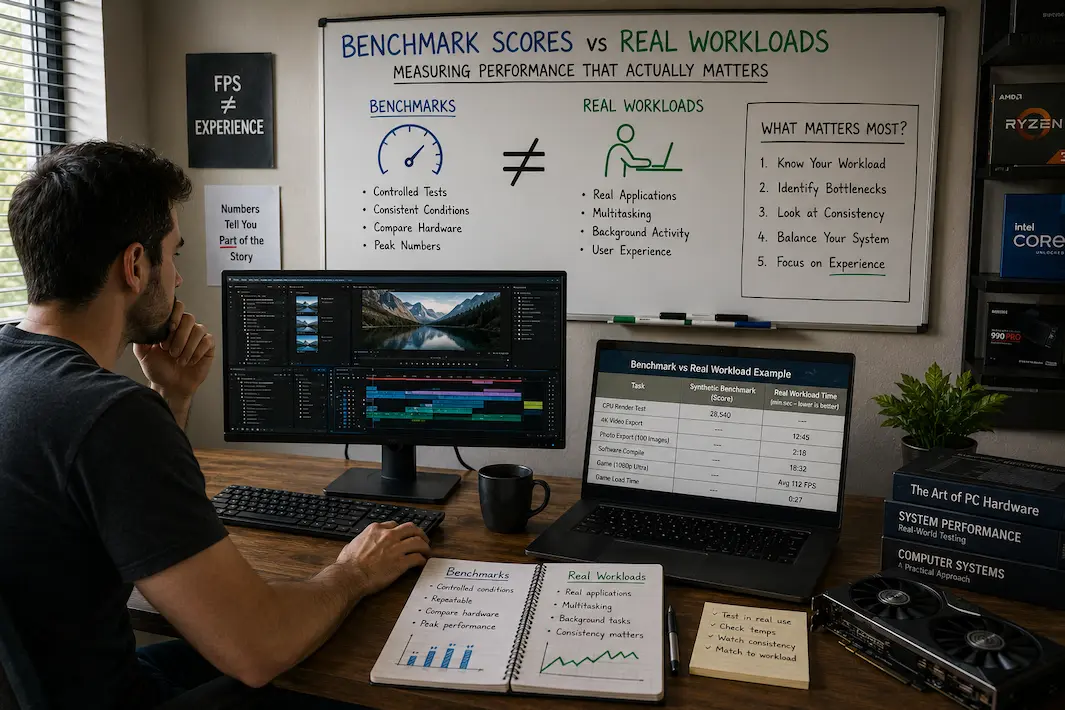
Benchmark Scores vs Real Workloads: Measuring Performance That Actually Matters
People often choose processors that top benchmark charts, but that doesn’t necessarily mean your computer will feel faster in everyday use. Many people upgrade their hardware after seeing impressive benchmark scores, only to discover that web browsing, office work, photo editing, and even gaming feel no different than on their previous system. It isn’t that the hardware is underperforming; rather, benchmark tests simply do not measure the tasks that matter most in real-world scenarios.
Nevertheless, benchmark tests remain valuable, even if people sometimes misunderstand them. They are conducted under strictly controlled conditions to measure specific aspects of hardware performance. Real-world workloads, however, are far less predictable than benchmark tests. Factors such as multitasking, background processes, varying file sizes, user interactions, and software with differing levels of optimization all affect performance. Understanding the distinction between these two methods helps explain why high benchmark scores don’t always translate into significant real-world performance gains, and why simple hardware upgrades can sometimes lead to a smoother computing experience.
What is the Actual Purpose of Benchmarks?
Benchmarks are standardized tests designed to measure hardware efficiency when performing specific tasks. Consistency is key. Every system undergoes the same tests under virtually identical conditions, enabling fair comparisons between the results of different processors, graphics cards, storage devices, or memory configurations.
Because benchmarks are controlled, they are invaluable for identifying architectural changes, comparing different generations of hardware, and measuring performance under repeatable conditions. Manufacturers, reviewers, and system integrators rely on benchmarks because they provide objective data that is difficult to obtain through everyday use alone. The problem is that benchmarks deliberately ignore many variables present in actual computing tasks. They often isolate a single component, minimize background activity, and then repeatedly execute the same operation. Consequently, the resulting score reflects performance in a specific test rather than performance across the full range of workloads a user might encounter.
Not All Benchmarks Are Created Equal
Some benchmarks focus almost entirely on raw processor power, while others prioritize graphics rendering, storage, or memory throughput. Even benchmarks evaluating the same hardware component can yield different scores depending on their specific focus.
For instance, a CPU optimized for massively parallel computing might score highly in rendering tests, yet offer negligible benefits in applications that utilize fewer threads. Therefore, looking at scores without understanding the specific metrics used in the benchmarks can lead to unrealistic expectations.
Why Everyday Workloads Behave Differently
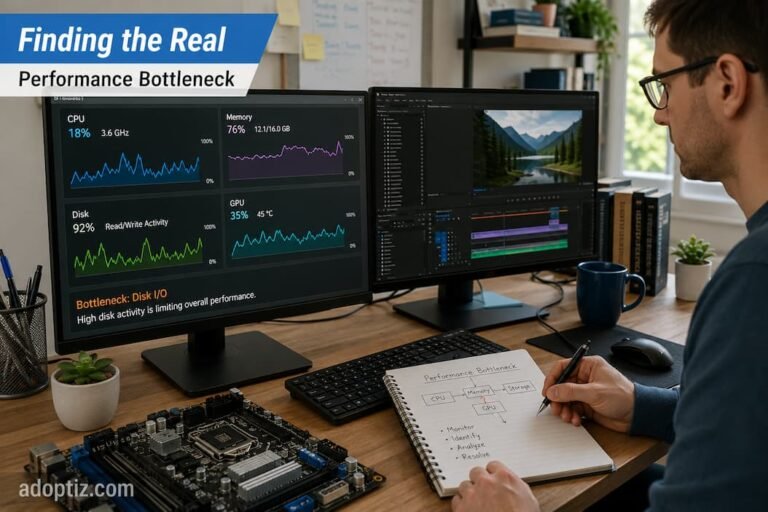
Unlike benchmark software, commonly used programs rarely run in isolation. Your computer might simultaneously be synchronizing cloud storage, downloading software updates, scanning files for security vulnerabilities, playing media in the background, and managing dozens of browser tabs—all while you are writing documents or participating in video calls. These tasks overlap, causing the workload to shift from minute to minute.
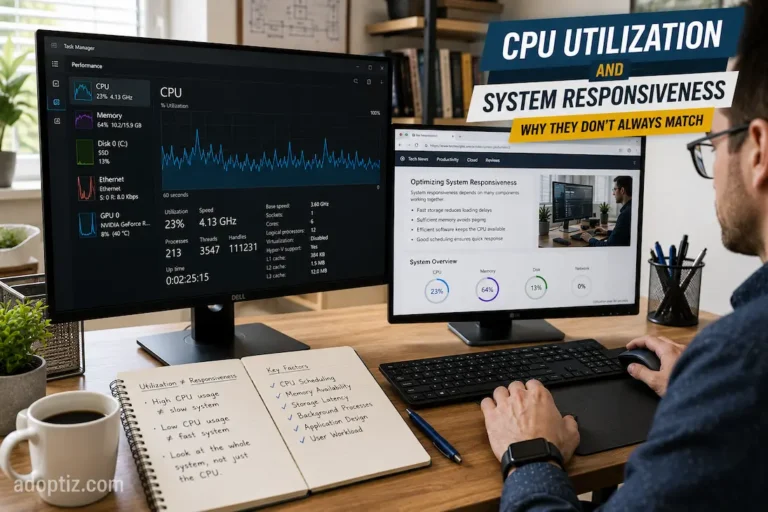
Real-world workloads also involve significant human-computer interaction. Applications wait for keyboard input, file loading, network communication, or data retrieval from storage. During these idle periods, the processor may not be fully utilized while the user attends to other tasks. In contrast, benchmarks are typically designed to keep the hardware under test running continuously.
Software optimization adds yet another layer of complexity. Two applications performing similar tasks can utilize hardware resources in significantly different ways. For instance, a video editor might efficiently distribute tasks across multiple processor cores, whereas another application relies more heavily on graphics acceleration. These differences mean that, even with the same hardware, running different programs can result in drastically different experiences.
When Benchmark Scores Provide Genuine Value
Benchmark scores are not a comprehensive assessment of system performance, but they should still be considered. Understanding the purpose of benchmarks is key, as they remain one of the most reliable ways to compare hardware performance under identical conditions.
Benchmark scores are particularly important when evaluating solutions designed for similar workloads. Benchmarking two processors using the same methodology can reveal significant differences in computing power, energy efficiency, or sustained performance. They also help reviewers identify improvements in new designs that might not be immediately apparent during everyday use.
Benchmark data is especially valuable as part of a broader evaluation rather than as the final result. When combined with long-duration workload tests, these integrated results provide a more complete picture of hardware performance under both ideal and real-world conditions.
Situations Where Benchmarks Are Most Useful
Benchmark results are especially valuable when they are used to:
- Compare hardware tested under identical conditions.
- Evaluate generational improvements.
- Measure repeatable performance changes after upgrades.
- Identify potential thermal or power limitations during stress testing.
In these cases, the benchmark serves as a measurement tool rather than a prediction of every user’s experience.
Editorial Observation
While comparing several desktop processors for productivity-focused systems, I noticed that two models separated by a noticeable benchmark gap felt remarkably similar during everyday office work. The differences became much easier to identify only when longer rendering tasks and large software builds entered the picture. It reinforced the importance of matching performance measurements to the work the computer is actually expected to perform.
Why Real-World Workloads Reveal New Benchmarking Possibilities
Benchmarks typically answer very specific technical questions: How fast does the hardware perform a particular task? Real-world workloads, however, raise a much broader question: Can the entire system function reliably and consistently under realistic usage conditions?
Imagine a graphic designer editing large image files all day. Launching applications, starting projects, switching between tools, exporting files, and accessing cloud resources all require different hardware resources. Storage latency, available memory, processor scheduling, and thermal efficiency, in particular, impact the overall experience. Standard benchmarks often measure only processor throughput and therefore cover just a fraction of the workload.
The same applies to gaming. While average frame rate benchmarks are useful, they may not reveal performance stability during extended gaming sessions, the speed at which new game assets load, or the efficiency of background functions like voice communication and recording software. These characteristics are only apparent in hardware tests that closely mimic real-world conditions.
That is why experts are increasingly combining benchmark results with real-world tests. These two approaches address different aspects, and combining them provides a more complete picture of performance than using either method alone.
Performance from the User’s Perspective
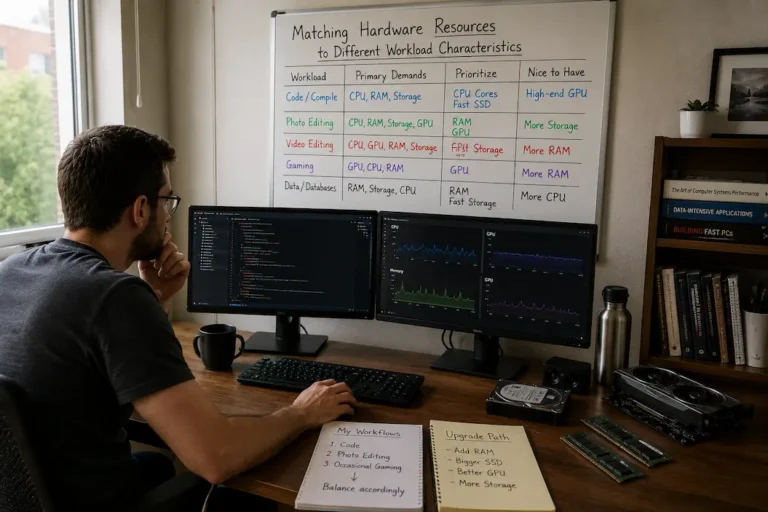
Ultimately, the value of a computer lies in its ability to fulfill the purpose for which it was purchased. Users who edit 4K video, develop large software projects, or run technical simulations will naturally have very different performance expectations than users who primarily handle routine tasks like email, web browsing, and office software. Benchmark scores do not tell you whether a system is fast, because “fast” depends on the user’s expectations and workload.
This is one reason why even experts may offer widely differing hardware recommendations. They might fully agree on benchmark results, yet their final product recommendations will differ due to varying usage patterns. Evaluations of workstations intended for continuous rendering focus on sustained computational performance, whereas ultraportable laptops prioritize responsiveness, battery life, and efficiency when handling smaller tasks.
By viewing hardware from the user’s perspective, benchmark data can better reflect real-world usage. Specifications and scores are important, but they serve as supporting evidence rather than the basis of the argument.
The Impact of the Environment on Performance
A processor that performs exceptionally well in productivity benchmarks may be of little consequence to users whose programs rarely utilize CPU resources. Storage improvements might transform one workflow while having a negligible effect on another. Therefore, performance evaluations must be understood within the context of the system’s actual operating environment.
This broader perspective also explains why professional hardware reviews typically include multiple test categories rather than relying on a single benchmark. Different workloads test different hardware strengths, and no single benchmark score can cover every aspect.
Why Stability Often Matters More Than Peak Performance
Hardware marketing often highlights the highest scores achieved in tests, but consumers do not always work in perfect laboratory environments. Computers heat up over time, background services constantly launch, applications compete for resources, and workloads fluctuate throughout the day. In these situations, consistent, stable performance is usually more important than occasional performance spikes. A CPU that delivers high performance throughout a two-hour rendering project is likely more efficient than one that achieves superior benchmark results for only a few minutes before its frequency drops drastically. A storage device with consistent responsiveness offers a smoother computing experience than one that performs well only during short, intensive tests.
The comparison is crucial here: performance is not just about achieving the highest possible figures, but also about maintaining stable performance throughout the entire workload.
Making Better Use of Benchmark Results
The key question is not whether benchmark results matter, but rather how to interpret them. Benchmarks are most useful when employed as just one of many factors in a comprehensive assessment of software requirements, workload characteristics, and long-term system performance.
When reading reviews or comparing hardware, looking beyond the raw score often leads to a better understanding of the product. Understanding how benchmarks are conducted, what they measure, and whether they align with your actual workload can help you avoid costly purchasing decisions based on data that lacks practical relevance.
As competition in the hardware market intensifies, the actual differences between comparable products are often far less significant than benchmark charts suggest. Understanding these nuances allows users to focus on quality factors that truly impact daily use, rather than blindly chasing the highest score.
More Meaningful Performance Metrics
Benchmark scores and real-world workloads are not competing testing methods; they address different aspects. Benchmarks provide reliable metrics for comparing hardware, whereas real-world workloads offer insight into how these components actually perform in complex, everyday computing environments. The former offers verifiable accuracy, while the latter reflects realistic usage scenarios.
The best hardware choice relies on a combination of both. Benchmark data provides a solid technical foundation, but only real-world testing can reveal whether that data translates into smoother workflows, higher productivity, or a more enjoyable computing experience. By viewing this data holistically rather than in isolation, the true meaning of performance becomes clear—as does the reason why the most important metrics are often those experienced in everyday use, rather than those published following benchmarking.